
Transitioning to Outlook Mobile

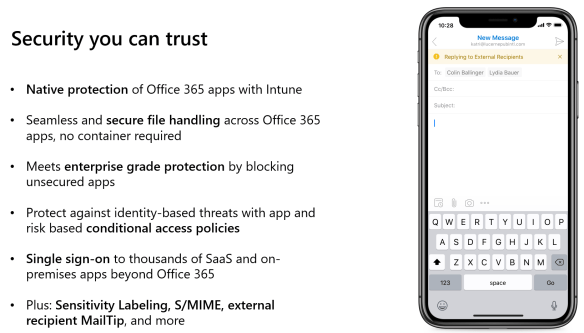
I always recommend the Outlook mobile client to my customers as this application can be included in an Intune app configuration & protection policy to protect and encrypt corporate data.

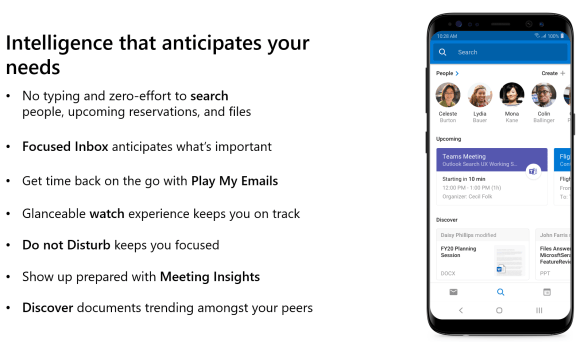
One of the features that the native IOS & Android mail client provides to end users is the illusion that the global address list of the organisation that they work for is in their native contacts. So when an end user searches for users in their company they expect to get the contact information instantly. Users must use Outlook Mobile.

End users mostly complain about loosing this feature but the argument is security comes first and Outlook Mobile is more secure!  It is very difficult to find the balance between security and productivity.

Android Outlook Mobile Cheat Sheet
IOS Outlook Mobile Cheat Sheet
Deploying Outlook for iOS and Android app configuration settings

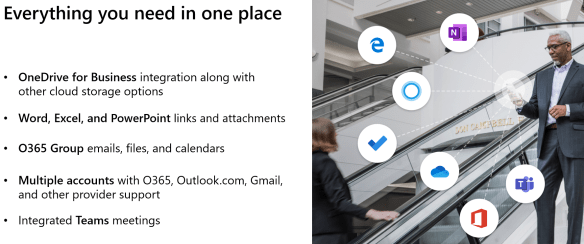
Why use Outlook Mobile?

Content via Ignite 2019 Slide Deck

  • Consistent new features and security patches from Microsoft
  • In BYOB scenario , Corporate email profiles are encrypted via Intune App Protection policy
  • Azure Information Protection integration
  • Sensitivity Labels
  • Add a share mailbox to Outlook Mobile

Switch from SCCM Co-Management Hybrid to Intune

I recently had to break co-management of SCCM & Intune Co-Management Hybrid and migrate to Intune for mobile devices that were managed by SCCM\Intune.

I followed Gerry Hampson’s blog POST on how to do this. Gerry is a Microsoft MVP in Enterprise Client Management.

I faced a problem. How do I translate an SCCM device collection that has no information on users, to a security group that I can assign an Intune Application Protection Policy to. In my particular instance there was only two policies required.

  1. Intune_Exec_AppProtection_Policy
  2. All users except the Exec users

Azure Active Directory has the ability to create complex dynamic user or device security groups. So in my instance I created two Intune Application Protection Policies that are listed above.

I created one on-premise synced AD Security group that contained the Exec users, this group would be assigned to Intune Application Protection Policy 1. I then wanted to create a security group that I could assign to all non exec users and any new users. So I created an Azure dynamic user security group that queried Azure AD for any user that has an Intune license. The query for the Azure dynamic security group is listed below.

user.assignedPlans -any (assignedPlan.servicePlanId -eq “c1ec4a95-1f05-45b3-a911-aa3fa01094f5” -and assignedPlan.capabilityStatus -eq “Enabled”)

This type of dynamic security group can be applied to any Microsoft cloud service. The list of all Microsoft servicePlanId’s is available HERE


Intune Endpoints Through Proxies or Corporate Firewalls

Microsoft previously submitted all the urls  and ip ranges for the Office365 platform on docs.microsoft.com. Now there is a new Office365 IP Web Service , HERE 

It would be great if this dynamic ip services covered all services in Office365  that can be updated in firewalls and proxies. Unfortunately it does not.

Intune is an amazing service from Microsoft but if you do not white-list the endpoints listed HERE

Features like Bitlocker, x86 custom app deployments, Windows 10 Security Baselines will fail.

Office365 & Intune White list URL and IP Range

For years I have fought tooth and nail with Security vendors on my enterprise customer sites that will typically have a corporate proxy or silent proxy like Palo Alto by tryng to get them to grant the customer,site or project access to Office365.

Microsoft have made the Office365 endpoints dynamically available as a web link which all enterprise firewall vendors support like Cisco, Juniper, Palo Alto can connect to.

Palo Alto guide HERE

Microsoft site Office 365 URLs and IP address ranges
Dynamic URL for firewalls and proxies 

I have faced on numerous occasions , issues with ip ranges that are outside the published Microsoft ranges. When my customer asked me what is this IP address , I cannot say it is mine and then need Microsoft to verify via a service ticket that they own the ip address.

My recommendation is also to white list the urls and ip ranges listed in this Microsoft article when using Intune. Intune network configuration requirements and bandwidth

Microsoft IP ranges outside the published ip ranges have affected me on customer project sites with Office365 ProPlus activation and Intune managed BitLocker encryption.

Hybrid Azure AD Joined Devices

Anyone familiar with conditional access, will have noticed this access control in Conditional Access policies. So what does it mean , How can I enable this, Is this a good feature.

This is not a good feature, it is an excellent feature. The best way to describe this control requirement is as follows. DO NOT GRANT access unless the machine is DOMAIN JOINED. Many enterprise companies have corporate wifi rolled out and only permit access to the corporate wifi via credentials and a machine certificate issued by the local certificate authority.

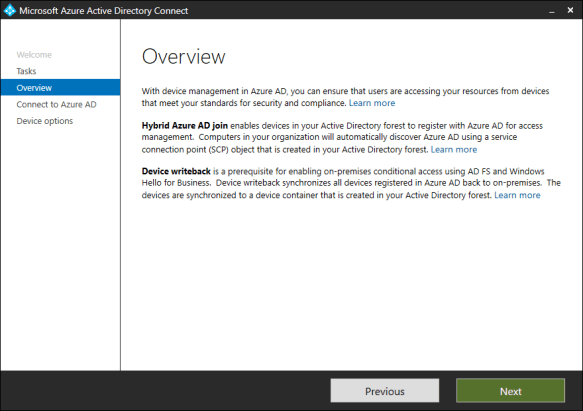
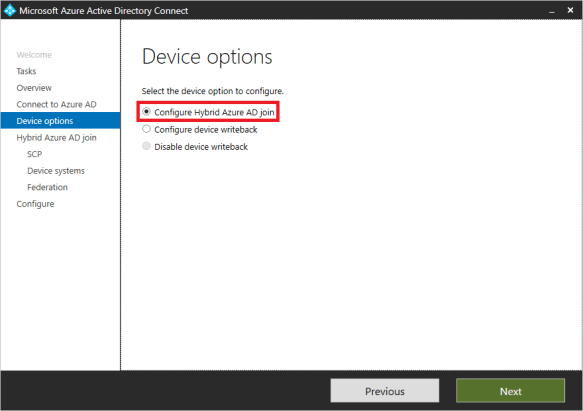
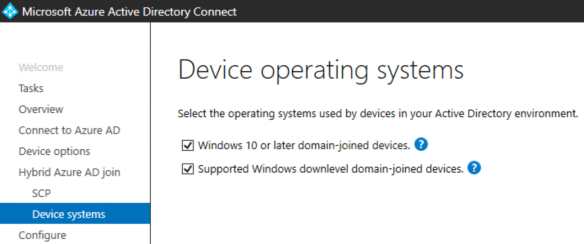
AD Connect keeps getting better and better and Microsoft have made it so easy to enable this feature. The following screenshots ill demonstrate how easy it is to enable this feature.

Modify the configuration of AD Connect and select ‘Configure Device Options’

Enter Azure AD Credentials

Note: Only select the second option ‘Supported Windows domain level domain-joined devices if you are using Azure Seamless Sign On, Azure Seamless Sign on provides the functionality to support Windows 7 and above operating systems.

Then enter enterprise admin on-premise credentials as per the image below.

Download and run the PowerShell script using on-premise enterprise admin credentials that AD Connect has prepared as per image above.

Next step is to follow this Microsoft Article : To enable auto enrollment of Windows Devices.

Now that we have enabled device auto enrollment into Intune, What are the benefits?

  • Intune Device Management – Intune can manage 5 devices per user license
  • Conditional Access Policy Control : Hybrid Azure AD objects
  • Intune – Bitlocker Management
  • Azure Dynamic Machine groups can be a useful method for managing global or large enterprise organisations.
  • Windows 10 Security Base Lines
  • Intune integration with Windows Defender ATP

These are just a small number of benefits , Open to comments on more benefits.

Update: 24.05.2019

Follow THIS Microsoft guide and block downloading from SharePoint Online on no domain joined devices