Four posts ago Contoso had 1,866 sensitive items and no policy using any of them. It now has two SITs that came from its own data, and a classifier in training. This final part connects them to protection, looks honestly at what did not work, and shows the evidence trail.
- Part 1 - Let the data tell you: what Purview already sees, and why the Posture Agent changes the starting point
- Part 2 - Getting the Posture Agent running: prerequisites, gotchas and what it actually cost
- Part 3 - From discovery to definition: using the agent to find the sensitive information types you did not know you needed
- Part 4 - Teaching Purview what matters: trainable classifiers
- Part 5 - From classification to protection: labels, DLP and the evidence trail (this post)
A DLP policy, in simulation
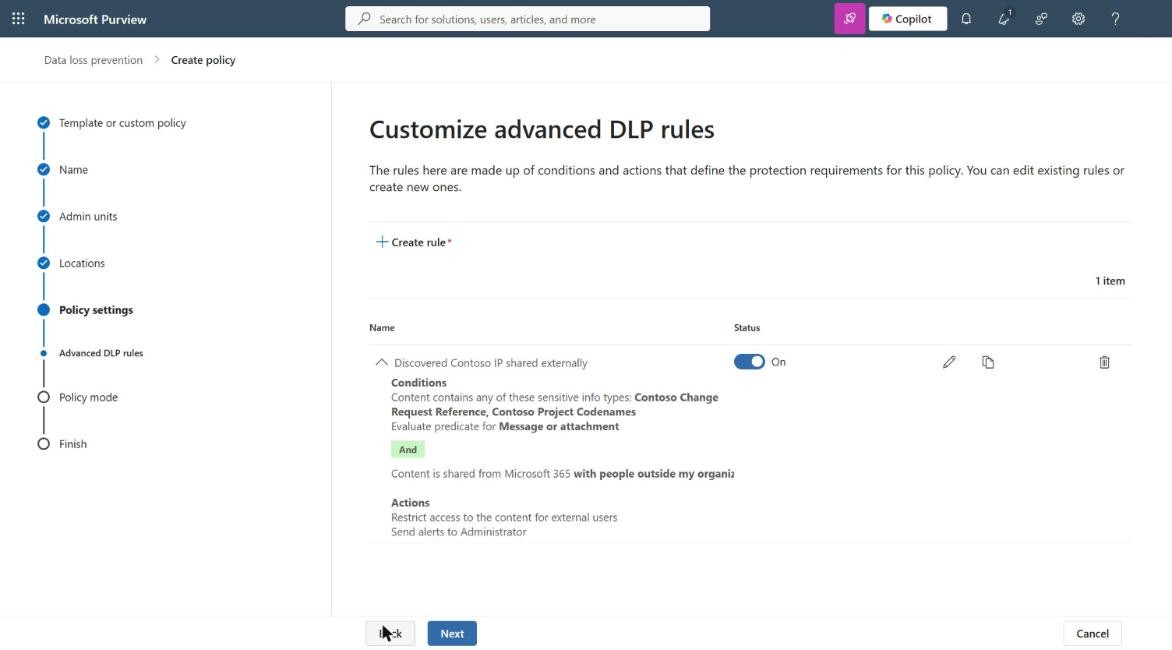
The policy is deliberately simple: if content containing a Contoso change request reference or project codename is shared with people outside Contoso, restrict access for those external users. It runs in simulation mode, so it reports what it would have done without blocking anyone.
- Template: Custom policy, with Create or customise advanced DLP rules.
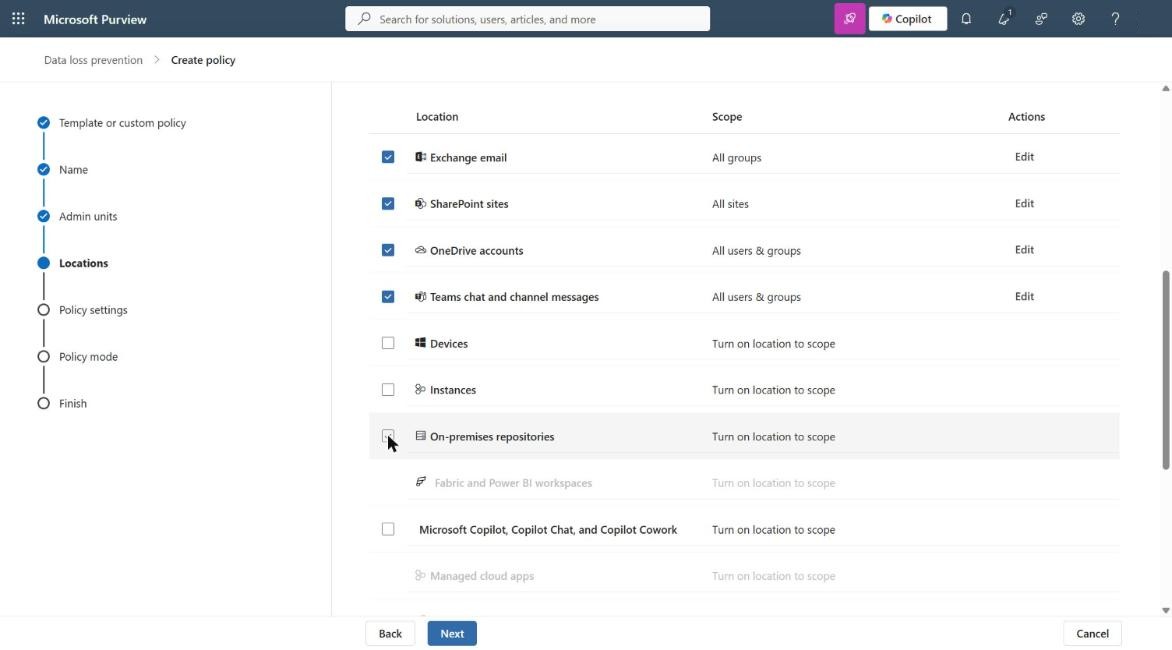
- Locations: Exchange, SharePoint, OneDrive and Teams. The wizard ticks everything by default, including Devices, Instances and On-premises repositories. Untick what you are not ready to cover.
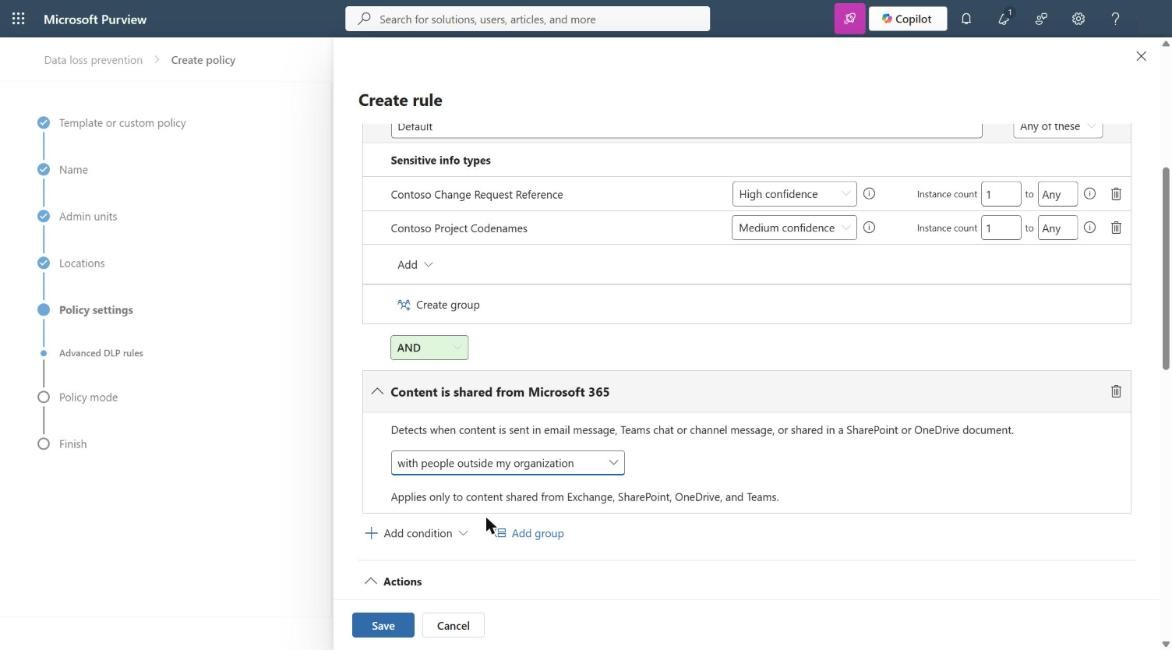
- Conditions: Content contains either SIT (each at its recommended confidence) AND content is shared with people outside my organisation.
- Action: Restrict access, blocking only people outside the organisation.
The gotcha
Submitting the policy failed:
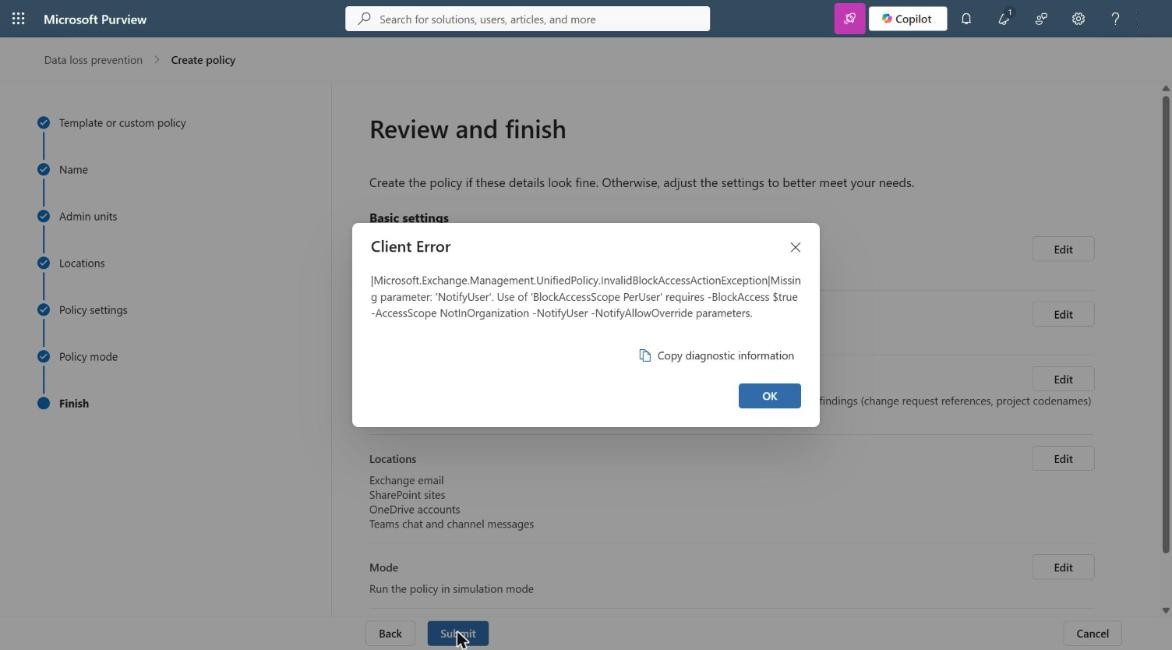
Blocking only external people requires user notifications. The fix is to turn on User notifications in the rule and tick “Notify users in Office 365 service with a policy tip or email notifications”. The portal does not warn you until you submit, and the error is written in PowerShell parameter names.
Simulation first
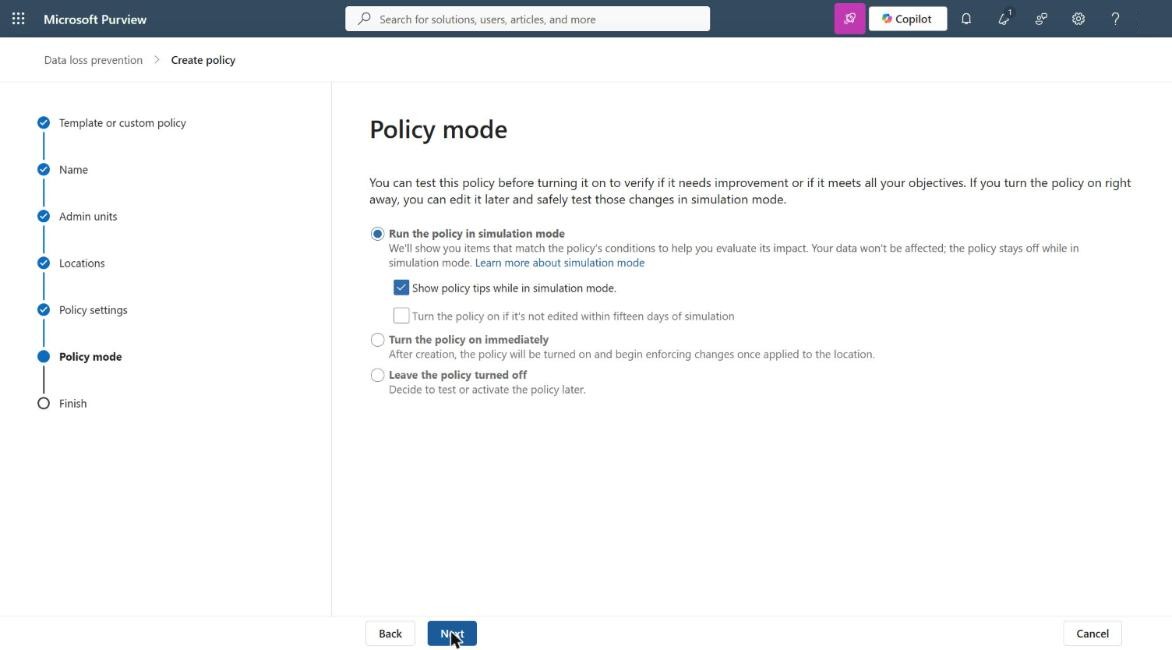
Simulation mode is the default. Leave “Turn the policy on if it’s not edited within fifteen days of simulation” unticked. A policy built on newly discovered SITs needs a human to review the matches before it blocks anything.
Adding the classifier
Once the classifier from Part 4 was published, I added it to the same rule. Edit the rule, and in the Content contains group choose Add, then Trainable classifiers.
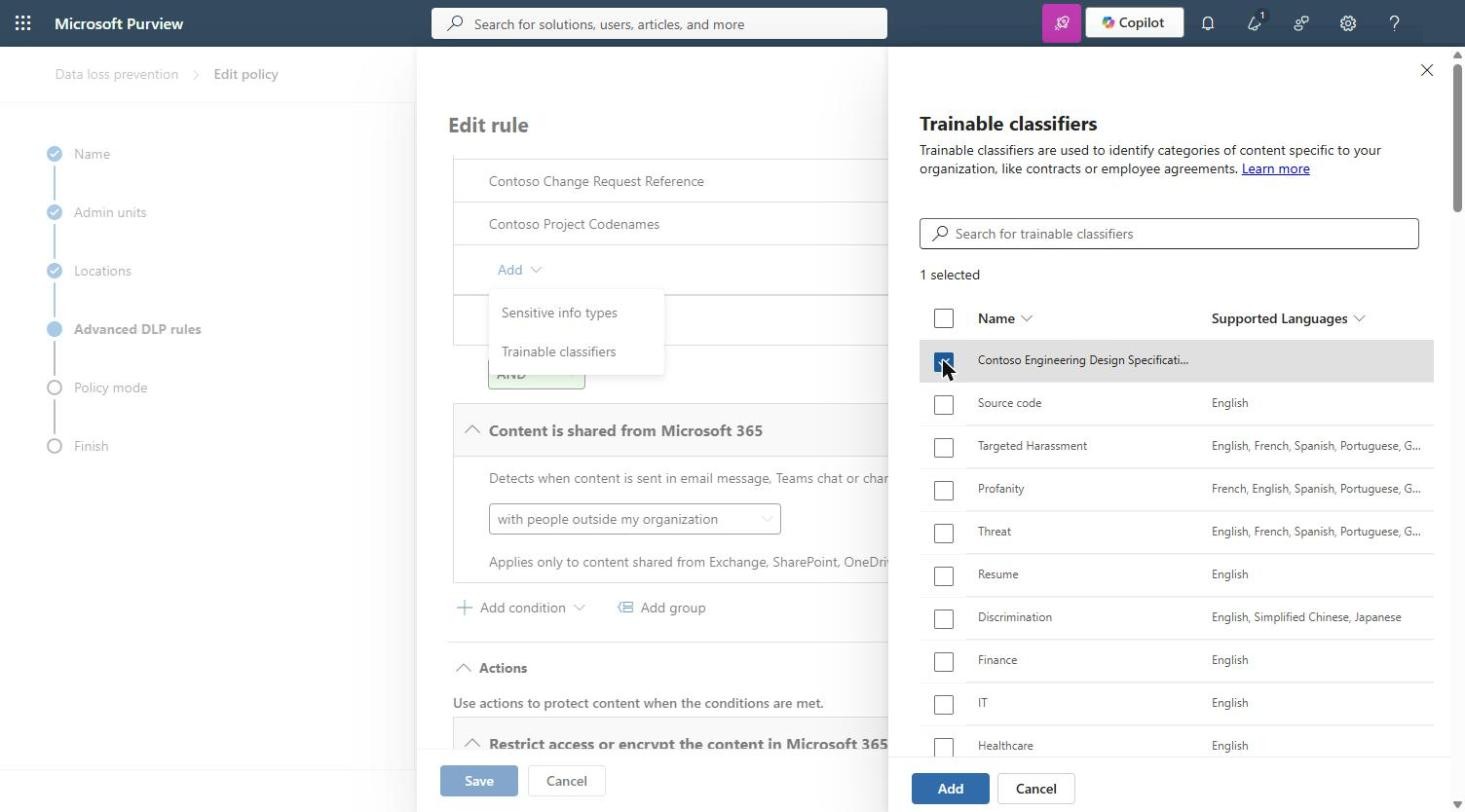
The group operator stays at Any of these, so the rule now matches a change request reference, a project codename or a design specification, shared outside Contoso. The SITs catch the patterns; the classifier catches the documents.
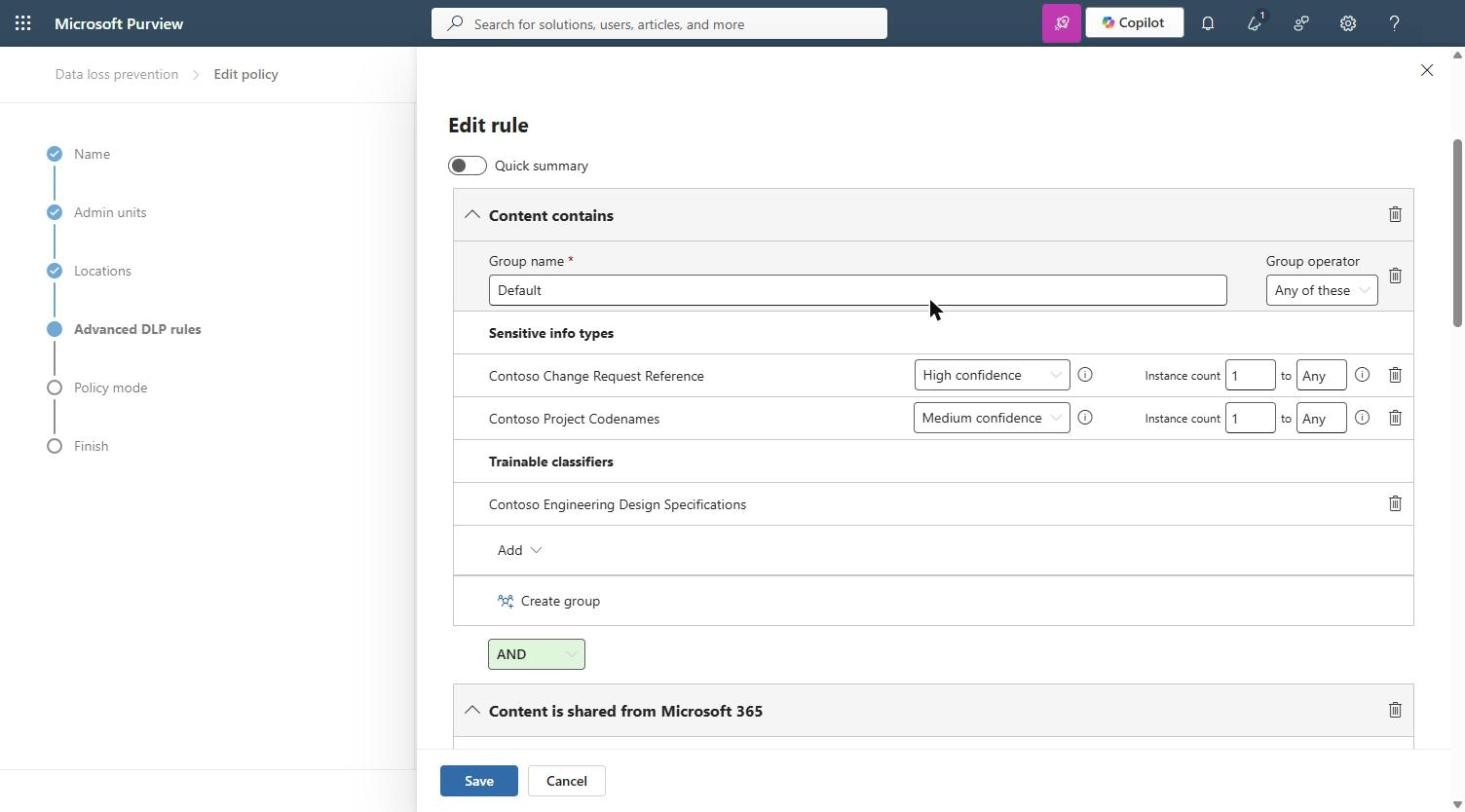
The policy stays in simulation. One small oddity: the custom classifier shows no supported language in the picker, although custom classifiers are English only.
A word on people
DLP is a safety net, not a substitute for awareness. Most data leaks are not malicious: someone attaches the wrong file, shares a link with “Anyone”, or pastes a specification into the wrong chat. Every organisation should run regular security awareness training so staff know what sensitive data looks like and how to handle it.
DLP then protects people as much as it protects the organisation. A policy tip at the moment of sharing catches the honest mistake before it becomes an incident, and teaches the policy in context far better than a slide deck. Policy tips are also why this policy shows them during simulation: users start learning before anything is blocked.
The same SITs and classifier can drive sensitivity label auto-labelling, so Contoso’s design IP is labelled and encrypted wherever it lives, not only blocked when shared. That is the natural next step after a clean simulation.
A preview reality check: credential scanning
The Posture Agent’s other capability, credential scanning in Data Security Investigations, never completed in the lab. Both scans, one tenant-wide and one scoped to a single user, sat at “Waiting for agent” for hours. The first could not be stopped (“Failed to cancel investigation as the job is still in queue”), and the cards offer no detail.
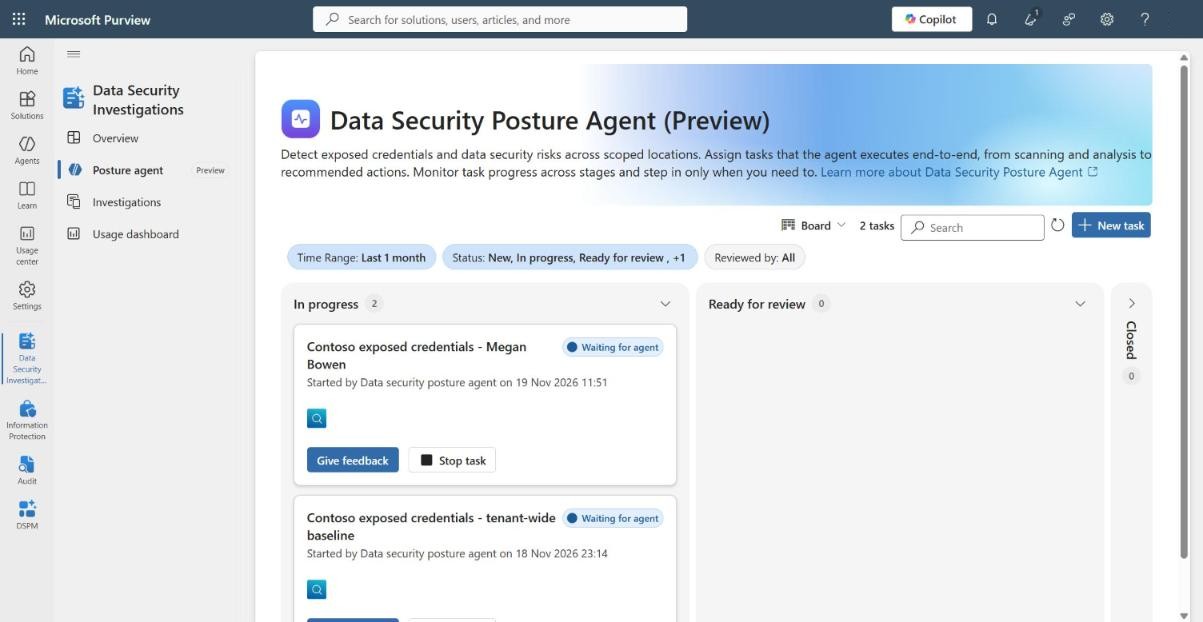
I checked again the following night. The tenant-wide scan had been waiting for about 24 hours and the user-scoped scan for 11, with no change, and the Security Copilot capacity had been deleted since early afternoon.
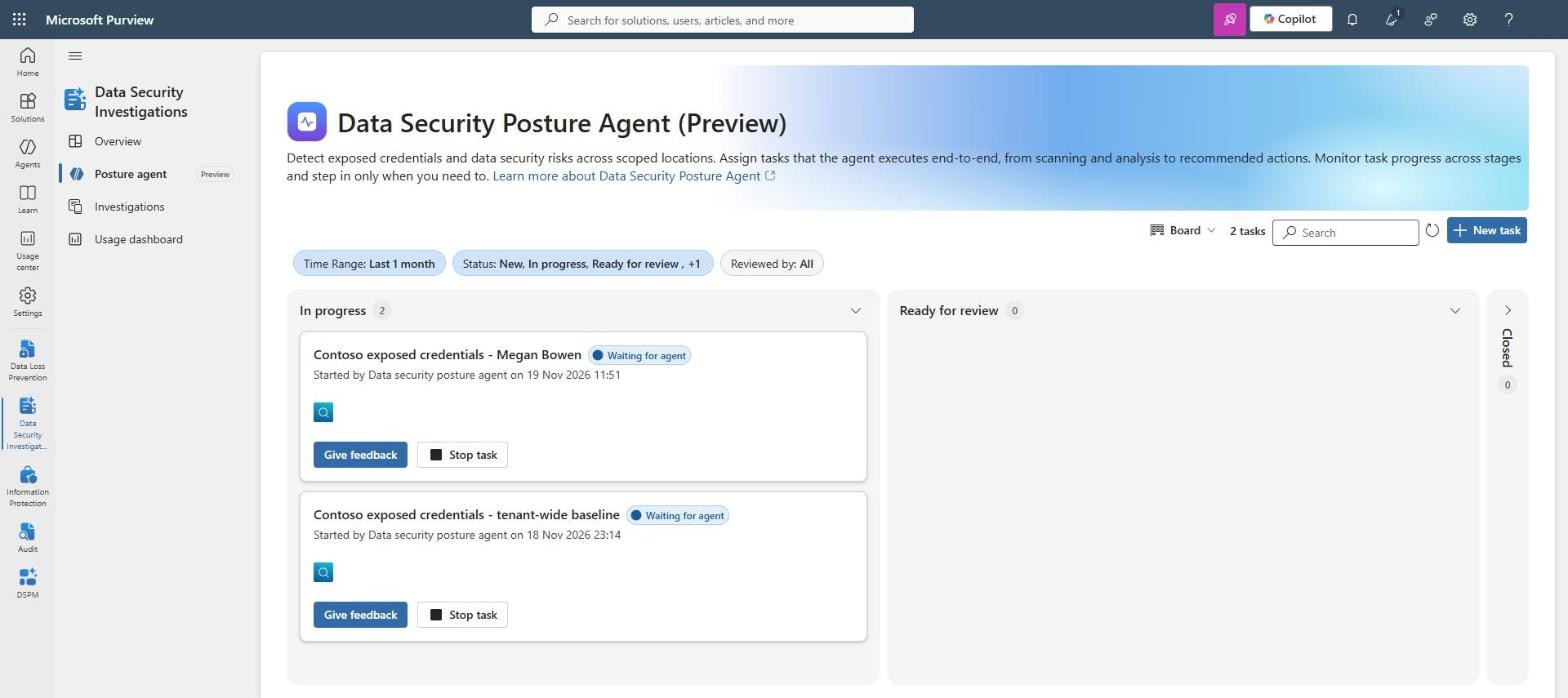
Microsoft Learn says the Posture agent does not need Data Security Investigations billing or AI capacity, only Security Copilot capacity, which we had. One third-party roadmap tracker reports the credential scanning roadmap item as cancelled; I could not confirm that from Microsoft. Treat credential scanning as preview: test it in your own tenant before you promise it to anyone.
The evidence trail
The agent reads your most sensitive content under its own identity, so its activity needs to be auditable. Three lessons from the lab:
- Audit is not retroactive. Ingestion was enabled at midnight; the first record appeared seven hours later. None of the first evening’s agent runs were captured.
- The audit log showed the role checks behind the agent: the admin was granted the compliance roles and blocked on content-level roles such as Purview Content Analyst. That matches what Learn says about who sees summaries and who sees content.
- Every agent run creates a session in Security Copilot history, and credential scans show “Started by Data security posture agent”. Both are useful evidence alongside the audit log.
Exporting the audit log with PowerShell was faster and more reliable than the portal. Search-UnifiedAuditLog is in the Exchange Online PowerShell module (ExchangeOnlineManagement), and the account needs the View-Only Audit Logs or Audit Logs role. Install the module once, then connect:
Install-Module ExchangeOnlineManagement -Scope CurrentUser
Connect-ExchangeOnline -UserPrincipalName admin@contoso.onmicrosoft.com
Then export the last two days of records:
Search-UnifiedAuditLog -StartDate (Get-Date).AddDays(-2) -EndDate (Get-Date) -ResultSize 5000 |
  Select-Object CreationDate, UserIds, RecordType, Operations, AuditData |
  Export-Csv .\audit-posture-agent.csv -NoTypeInformation -Encoding UTF8
Gotcha: -SessionCommand ReturnLargeSet without -SessionId fails with BadRequest. Leave it out for up to 5,000 records.
Teardown
Anything that costs money or grants access should be removed when you finish:
- Delete the Security Copilot capacity. The workspace survives; that is expected.
- Delete any Purview pay-as-you-go resource you linked. This also unlinks pay-as-you-go billing in Purview, and the DLP Policies page shows the “Set up pay-as-you-go billing” banner again. That is expected.
- Remove elevated access (Entra ID > Properties > Access management for Azure resources) for every account you elevated.
- Check Cost analysis after 24 to 48 hours, then cancel or move the subscription.
- Leave the DLP policy in simulation, or delete it, and decide what happens to the stuck credential scans.
So where do we start?
Five posts later, my answer is this:
- Look at what Purview already sees, and at the gap between classified items and affected policies.
- Ask the Posture Agent discovery questions about intent, not about the SITs you already have.
- Turn repeated patterns into SITs, test them with real and decoy examples, and send categories of content to trainable classifiers.
- Protect in simulation first, with a human reviewing the matches.
- Audit from day one, and treat the agent as the non-human identity it is.
The agent did not do the classification for Contoso. It found what nobody had thought to list, in a few hours of compute for under 30 euros. That is a better starting point than a workshop.
Coming next: a new blog post (or short series) on the DLP triage agent, and how to use it effectively on the alerts a policy like this produces.
GitHub repository
Everything used in this series is published at https://github.com/cloud-secure-ai/Purview-data-classification:
- make_seed.py - the parameterised generator for positive and negative classifier seed content.
- SharePoint upload script for seed content.
- The audit log commands and the CR test file used to test the SIT.
- A prerequisites and teardown checklist.
References
- Create and deploy DLP policies - learn.microsoft.com/purview/dlp-create-deploy-policy
- DLP policy simulation mode - learn.microsoft.com/purview/dlp-simulation-mode-learn
- Posture agent in Data Security Investigations - learn.microsoft.com/purview/data-security-investigations-posture-agent
- Search the audit log - learn.microsoft.com/purview/audit-search


Pingback: Where do we start with data classification? Part 4: Teaching Purview what matters with trainable classifiers | Cloud-Secure.ai
Pingback: Where do we start with data classification? Part 1: Let the data tell you | Cloud-Secure.ai
Pingback: Where do we start with data classification? Part 2: Getting the Posture Agent running | Cloud-Secure.ai
Pingback: Where do we start with data classification? Part 3: From discovery to definition | Cloud-Secure.ai