When the device is on the network but locked out locally, Live Response is the way back in.
Part 3 was the defender cutting a device off deliberately. Part 4 is the attacker’s version: blocking Remote Desktop on the device itself – firewall rules and a registry change – to lock administrators out while keeping their own foothold. The device stays on the network the whole time, which is exactly what makes Live Response the recovery route.
The lockout technique
Two changes lock a Windows device out of Remote Desktop:
- An inbound firewall rule blocking the RDP port.
- The fDenyTSConnections registry value set to 1, which disables Remote Desktop and tears down the listener.
Neither is covered by tamper protection. Tamper protection guards Defender’s own settings – virus and threat protection, real-time protection, behaviour monitoring – and not the Windows Firewall or the Remote Desktop registry. So a local administrator, or an attacker who has become one, can apply both with tamper protection fully on. The lab script Invoke-RdpLockoutSimulation.ps1 makes exactly these changes, and refuses to run without an explicit confirmation switch.
Insert your -WhatIf preview and the real lockout run from the VM here.
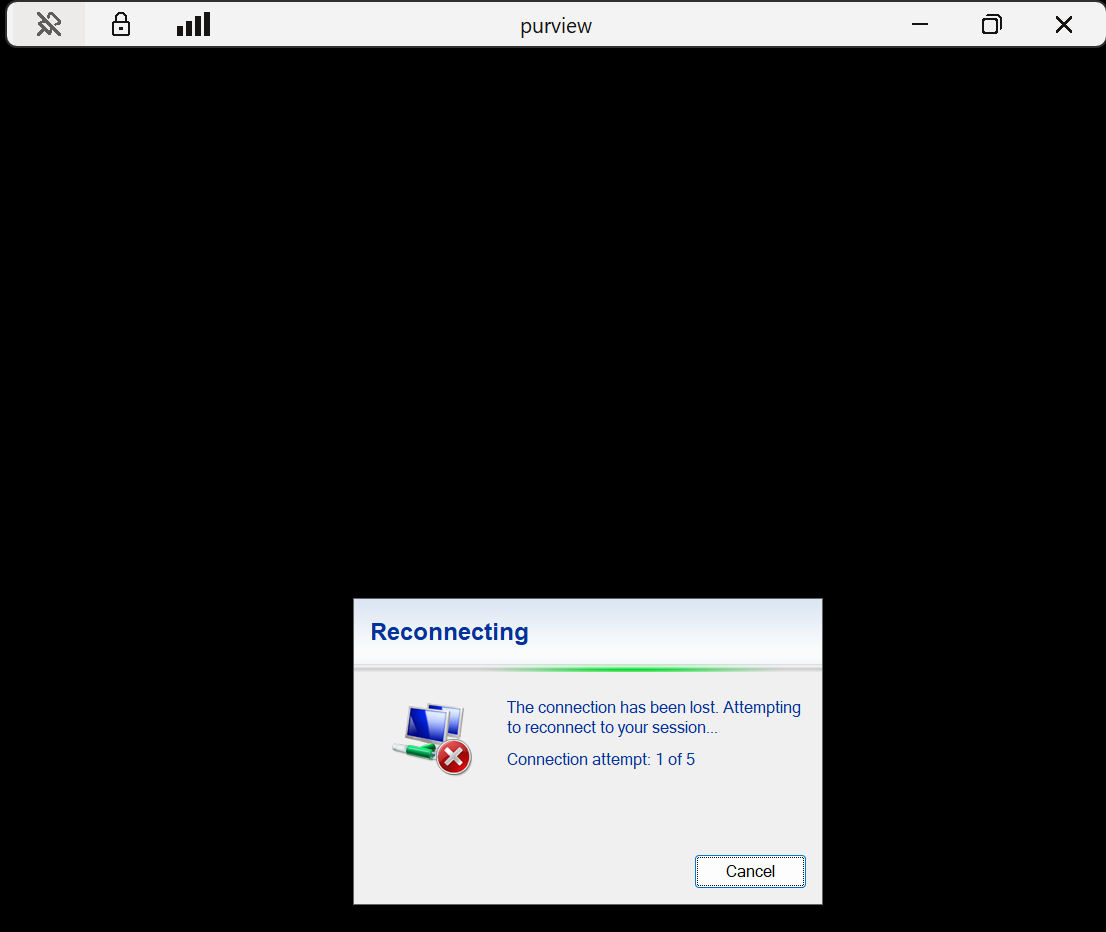
Running it from an elevated session enables the firewall, adds the block rule and sets fDenyTSConnections to 1. The Remote Desktop session drops on that last step.
The crucial difference from isolation
The device is not isolated. It is still on the network, still reporting to Defender – it is just locked out locally. The Defender sensor talks outbound to the service, which the inbound RDP block does not affect, so a Live Response session connects normally. That is the whole recovery route.
Finding the blockers
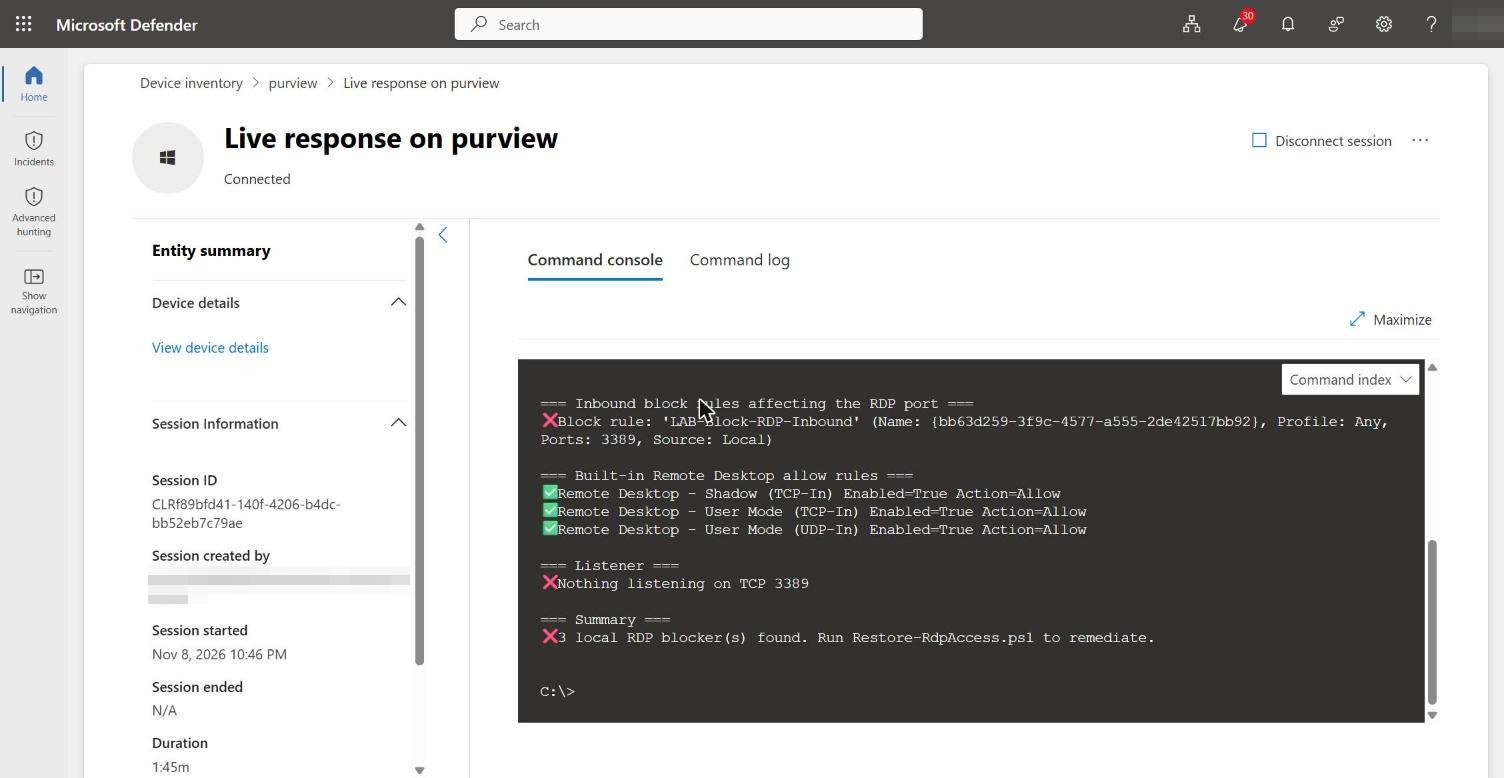
Get-RdpLockoutState.ps1 over Live Response now finds what it could not in Part 3. It reports the LAB-Block-RDP-Inbound firewall rule, that nothing is listening on the RDP port, and a clear count of local blockers pointing at the remediation script.
Recovering the device
Restore-RdpAccess.ps1, run over the same channel, clears them: it sets fDenyTSConnections back to 0, confirms the Remote Desktop services and allow rules, and disables the block rule. It supports -WhatIf for a dry run, and reports a summary of what it changed.
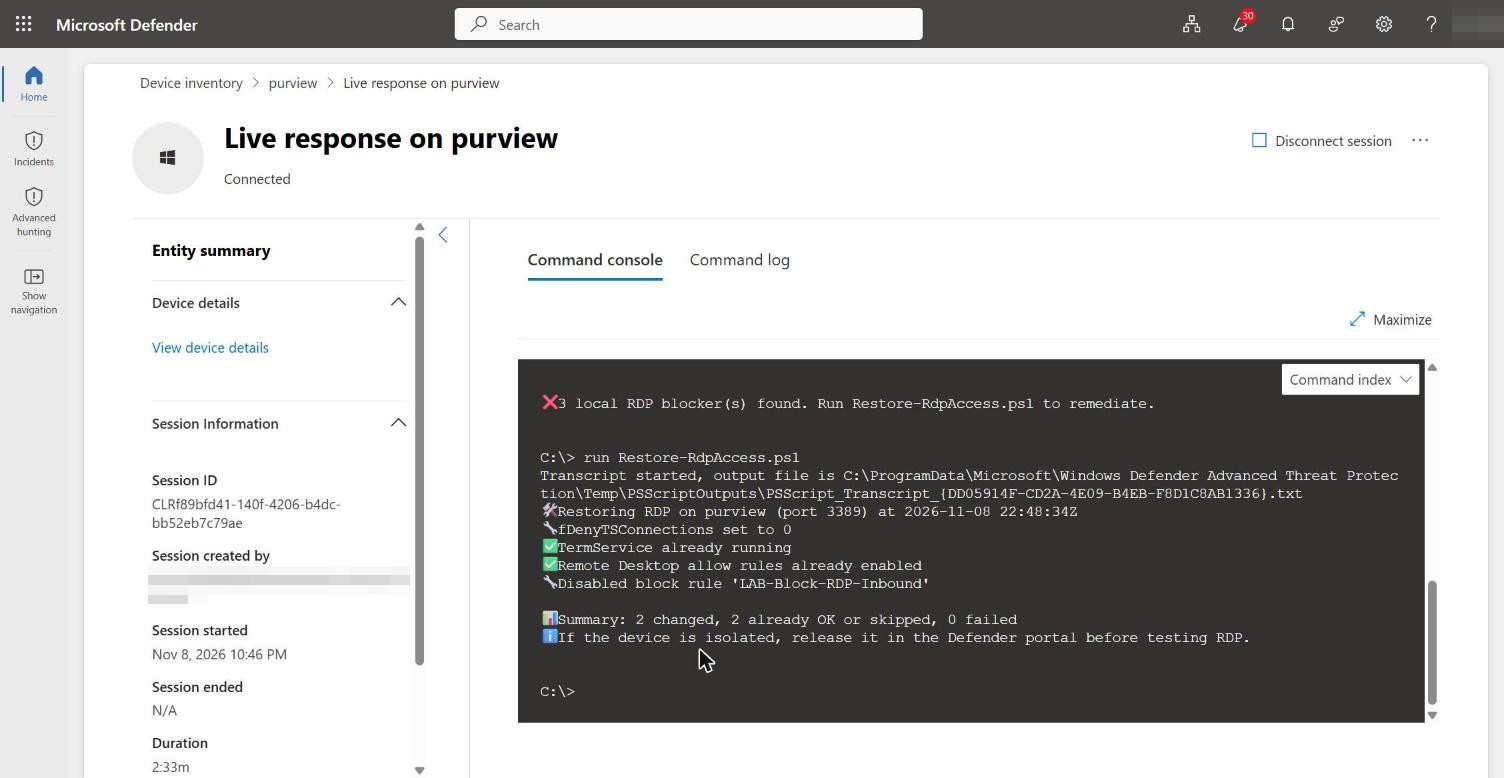
Remote Desktop reconnects. A device that locked everyone out was recovered without network or physical access, through a channel the lockout never touched.
Insert your successful RDP reconnection here to close the sequence.
Next
The lockouts in Parts 3 and 4 both start with an attacker getting a foothold, and credential theft is how that usually happens. The next post looks at defending the credentials themselves.

