Raising a genuine Defender alert and incident on the lab device, without real malware.
With the lab onboarded, we need something for Defender to react to: an alert and an incident we can isolate on in Part 3. The trick is to generate a real detection that is also safe and repeatable.
Why not just run Mimikatz
The obvious move is to run a real tool such as Mimikatz. In practice that is awkward and beside the point. Defender does its job and quarantines the tool before it runs, so the session turns into a fight with your own defences instead of a demonstration of the response. Anyone who has tried to run an attack simulation on a protected machine knows the feeling.
For a repeatable walkthrough, and for anyone following along at home, benign and purpose-built triggers are the professional choice. We use two. The EICAR test file is the industry-standard string that every antivirus engine recognises as a test. Microsoft also publishes an endpoint detection test, a benign download-and-execute pattern that raises an EDR alert. Both produce a genuine alert and incident, and neither involves real malware.
The detection script
Invoke-DetectionTest.ps1, in the companion repo, does two things: it writes the EICAR string (assembled at runtime, so the script file itself is not quarantined) and it runs Microsoft documented detection test. Run it from an elevated PowerShell session on the lab VM.
# writes the EICAR test file, then runs the Microsoft detection test
.\Invoke-DetectionTest.ps1
When nothing fires
On the first run the EICAR file wrote to disk and nothing happened, which is worth dwelling on because it is exactly the situation a responder meets in the field. Real-time protection was on, confirmed on all four counts:
Get-MpComputerStatus | Format-List RealTimeProtectionEnabled, `
  BehaviorMonitorEnabled, IoavProtectionEnabled, OnAccessProtectionEnabled
# all True
Two things explained it. The PowerShell session was not elevated, so the exclusions could not even be read (“Must be an administrator to view exclusions”), a reminder to triage from an elevated session. And an on-demand scan caught the file immediately:
Start-MpScan -ScanType CustomScan -ScanPath 'C:\sim'
# Threats found - EICAR_Test_File quarantined
The wider lesson is the one every responder learns the hard way: a forgotten exclusion, or a quiet gap in coverage, is exactly why a real threat sometimes never raises an alert. Checking Get-MpPreference exclusions belongs in your triage, not just your lab notes.
The incident in the portal
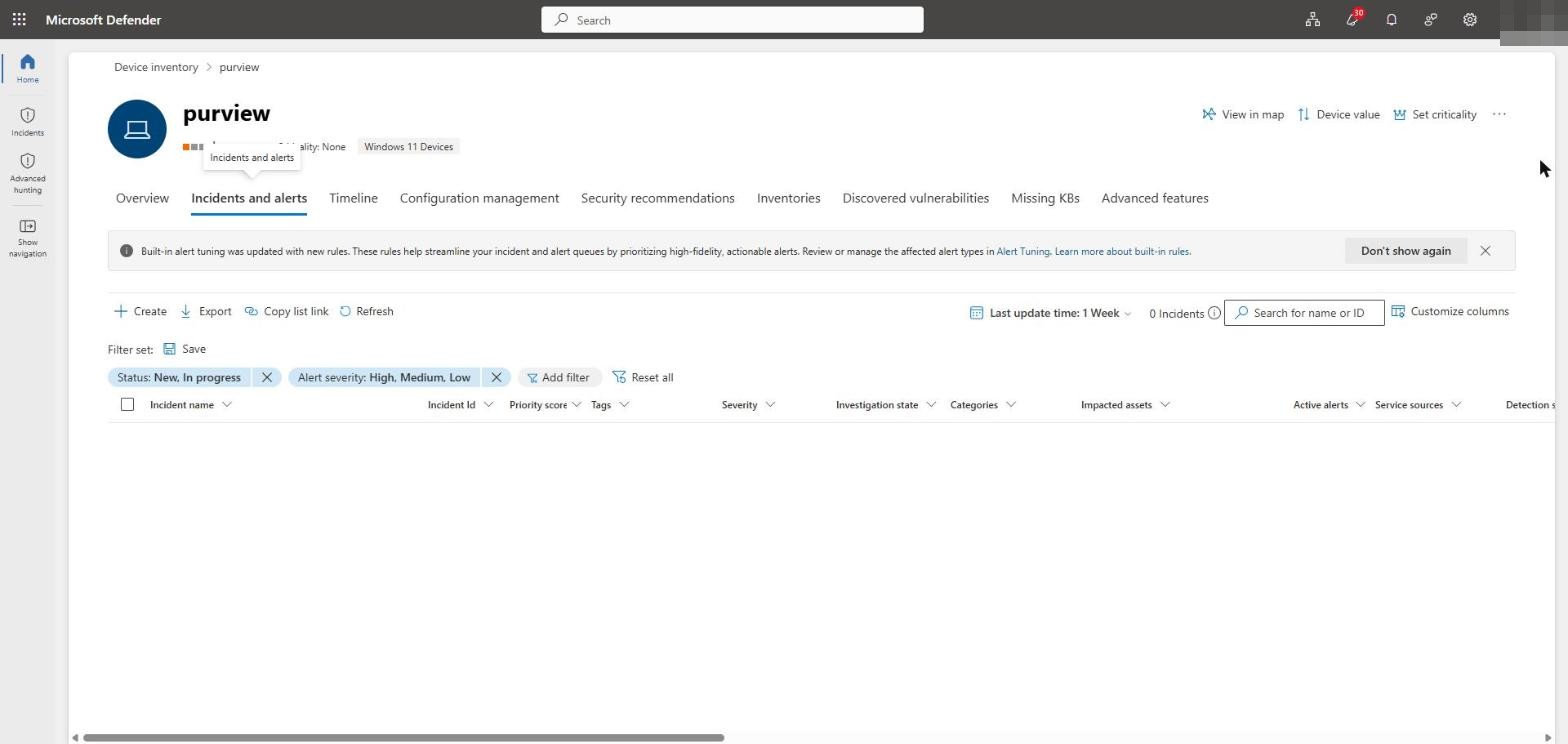
Before the test, the device queue was clean, which makes the new detection easy to spot.
Within a minute the device carried a new alert and a new incident.
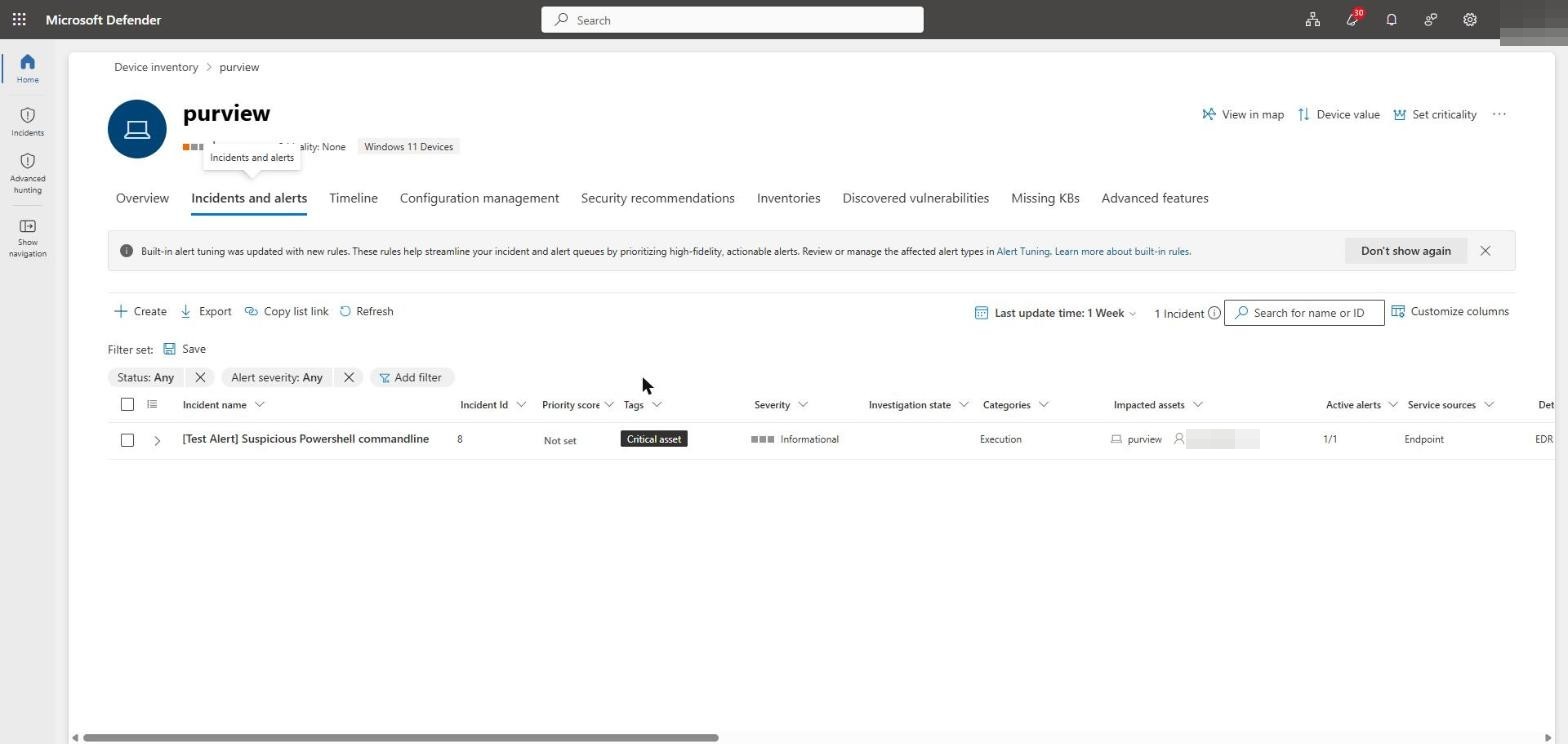
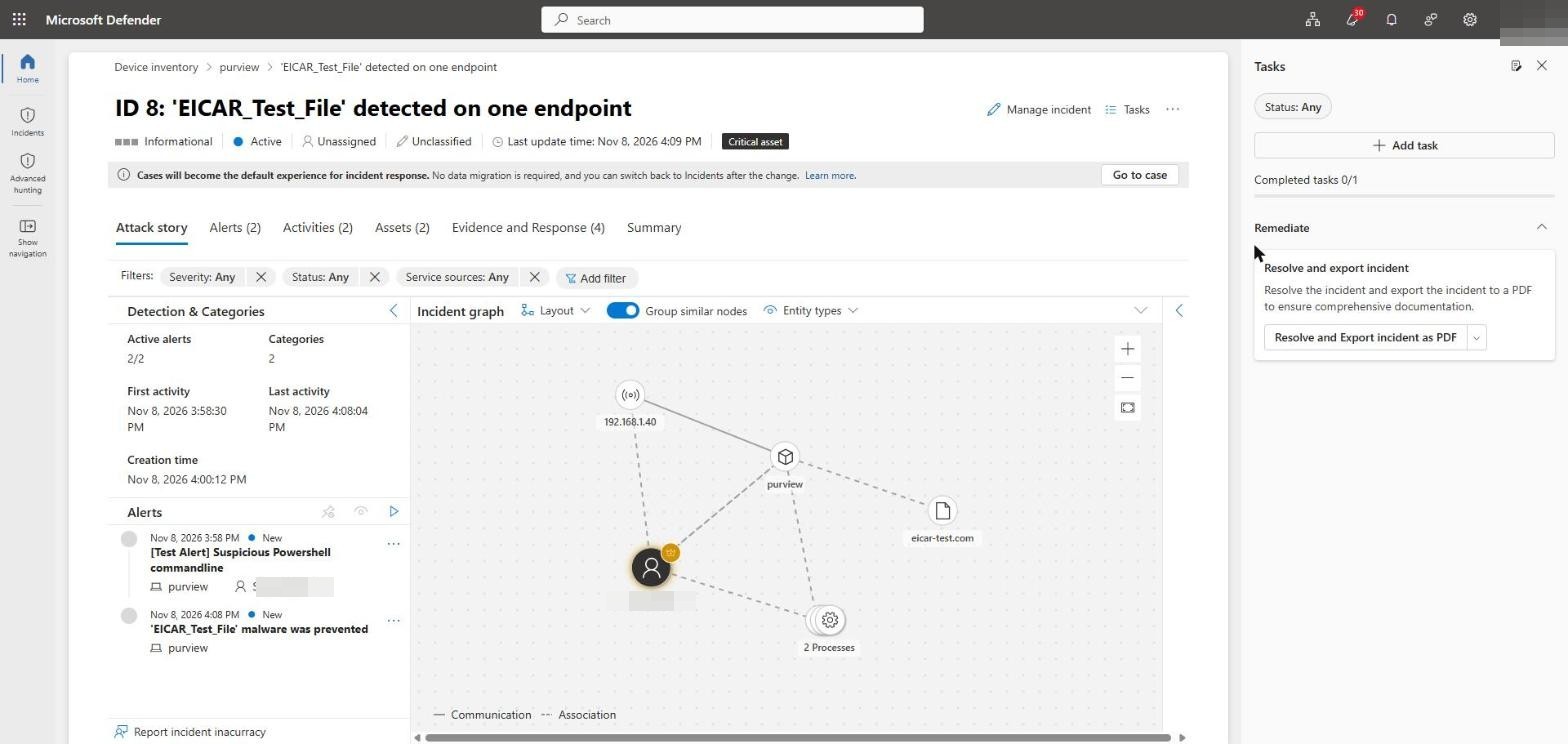
Defender correlated both triggers into a single incident, “EICAR_Test_File detected on one endpoint”, with two alerts (the EICAR detection and a suspicious PowerShell command line) and a full attack graph tying the device, the user, the test file and the processes together. That correlation is the point: one benign script, one coherent incident to respond to.
Hunting the activity
The same story is available in Advanced hunting. The companion repo includes three queries for this stage: the alerts and their evidence, the antivirus detections, and the credential-theft-style command lines. Set the DeviceNameFilter at the top of each query and run them.
Next
We now have a genuine incident on a healthy, onboarded device. Part 3 isolates that device and remediates it through Live Response, and drops our Remote Desktop session in the process.

