Microsoft Defender for Endpoint Automation with Power Automate

This blog post will focus on the triggers and actions available in the ‘Microsoft Defender ATP API’ and how Power Automate can, automate tasks using this API.

The number 1, recommendation is to use Microsoft Sentinel. In my view SIEM without SOAR is useless.

When can an organisation be truly ready to enable SOAR automation for Windows 10\11 endpoints?

The Microsoft portal security.microsoft.com/Vulnerability Management/recommendations section provides recommendations on all endpoint vulnerabilities.

How does this section of the Microsoft security portal, provide recommendations on devices that have not been enrolled into Microsoft Defender for Endpoint management? This can be controlled via the Microsoft security portal device discovery configurations.

Typically organisations do not transition, straight away to using (MEM) Microsoft Endpoint Manager to provide software update services.

A remediation task in MEM to update a version of Google Chrome or Notepad ++, can only be actioned if, MEM is controlling software updates and if the latest versions of Google Chrome or Notepad ++ are available in the MEM Microsoft Windows application repository for Windows 10\11 devices.

I recommend that an organisation, responds to all security.microsoft.com/Vulnerability Management/recommendations, via their existing software update service prior to transferring update services to MEM. MEM provides excellent automated software update services to Microsoft software products, but can be quite cumbersome when it comes to updating 3rd party software products, like Google Chrome and Notepad ++

Some organisations, make the mistake, and think that enabling (MDFE) Microsoft Defender for Endpoint – auto remediation, will just work and protects endpoints from all threats.

The Microsoft ‘Defender Vulnerability Management add-on license‘, provides the ability to create some of the following, security baseline assessments.
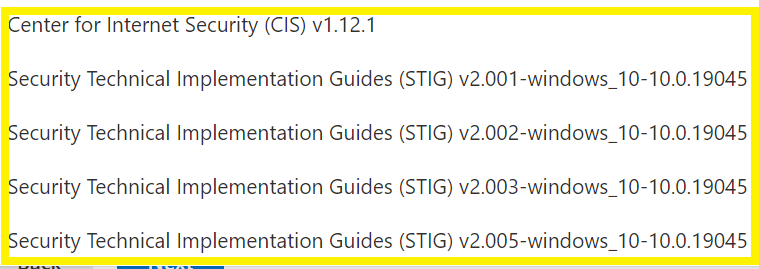

Run these baselines , my preference is the CIS security baseline and improve the security posture of an organisation’s Windows 10\11 devices as much as possible before implementing, Microsoft Defender for Endpoint – Auto Remediation, or Microsoft Defender automation tasks via Power Automate or Microsoft Sentinel.

The Microsoft : security.microsoft.com portal provides a service called ‘Custom detection rules’, however the frequency of ‘custom detection rules’ is ‘every hour’, which is not good enough.

Power Automate – automated protection via the ‘Microsoft Defender ATP API’

Firstly, there are two amazing blog posts that describe the process of using Power Automate on how to auto isolate, Windows 10\11 devices, based on their severity risk level.

Nächster Artikel : extending-mdatp-alerting-sending-text-messages-sms-and-push-notifications
Ammar Hasayen: MS Flow and MS Defender ATP Integration

Microsoft Defender ATP API’ Triggers

‘Microsoft Defender ATP API’ Actions
The following actions, clearly illustrate the power of the ‘Microsoft Defender ATP API’, when an organisation has improved their security posture with Windows 10\11 devices. With some Power Automate or Microsoft Sentinel runbooks, these actions can enable an organisation to protect a bespoke line of business work flow on endpoint devices.

Some organisations may say, ‘Why MDFE, cannot, just provide this protection as standard’, and the simple answer is, every organisation’s line of business applications or workflows are different and require, custom, granular control, that the ‘Microsoft Defender ATP API’ can provide via Power Automate but, most preferably : Microsoft Sentinel.

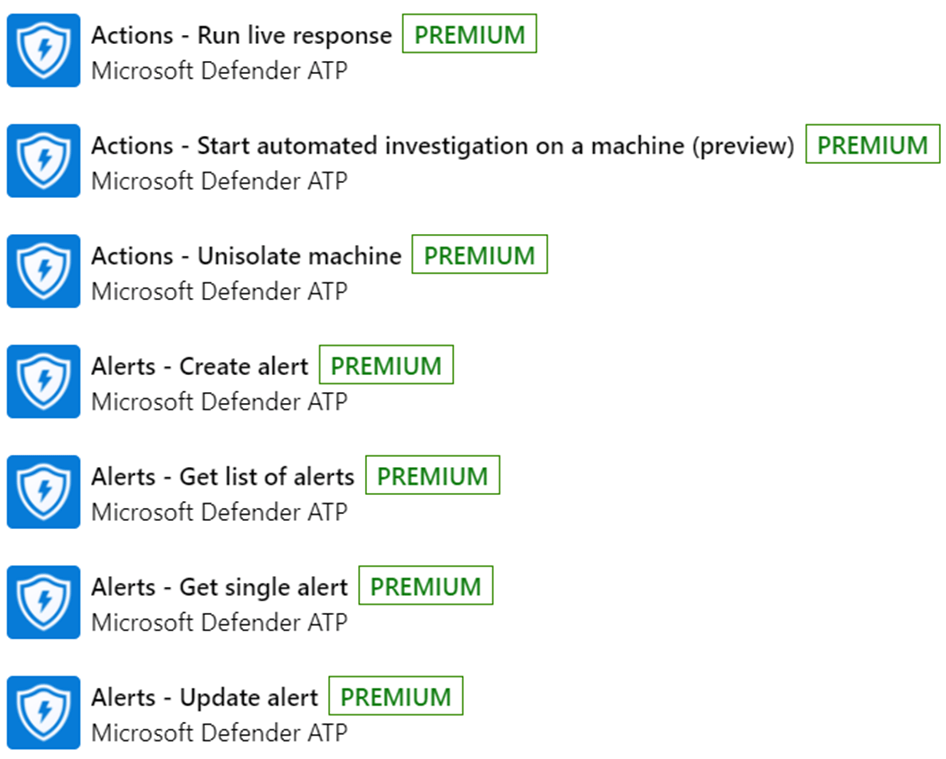
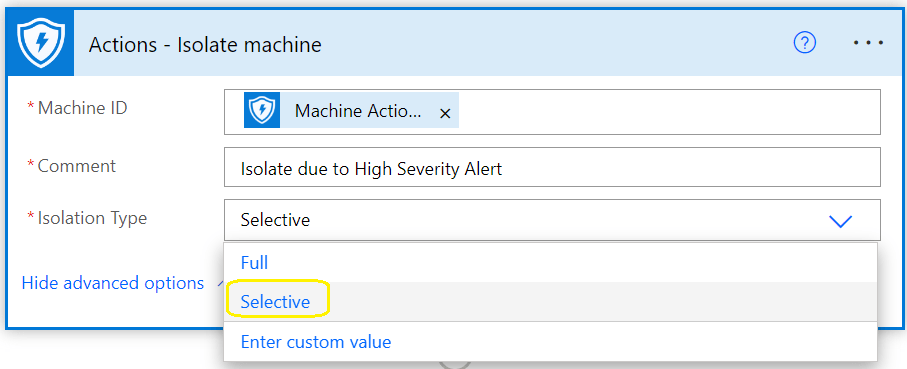
The following images outline the actions that are possible using the ‘Microsoft Defender ATP API’

Microsoft Defender Auto Isolation new Feature
It is now possible to ‘isolate’ devices but continue to allow end users to use ‘Microsoft Outlook and Teams’

This feature, ensures that end users can continue to remain productive in their daily work routines when using Windows 10\11 devices, yet be isolated from their corporate network, probably the best use case, is to prevent the spread of ransomware or Mimikatz credential theft.

How is this Auto Isolation feature to allow users to continue using ‘Microsoft Outlook and Teams’ controlled in the ‘Microsoft Defender ATP API’


Azure Dynamic Groups for all Microsoft Defender for Endpoint Licensed Users

I always find using Microsoft Azure Active Directory dynamic groups much easier to use when assigning policies, for example Defender for Endpoint onboarding policies via Intune.

Microsoft Defender for Endpoint included with M365 licensed user rule syntax

user.assignedPlans -any (assignedPlan.servicePlanId -eq “871d91ec-ec1a-452b-a83f-bd76c7d770ef” -and assignedPlan.capabilityStatus -eq “Enabled”)

Microsoft Defender for Endpoint plan 1 licensed user rule syntax

user.assignedPlans -any (assignedPlan.servicePlanId -eq “292cc034-7b7c-4950-aaf5-943befd3f1d4” -and assignedPlan.capabilityStatus -eq “Enabled”)

Microsoft Defender for Endpoint DLP

user.assignedPlans -any (assignedPlan.servicePlanId -eq “64bfac92-2b17-4482-b5e5-a0304429de3e” -and assignedPlan.capabilityStatus -eq “Enabled”)

Microsoft Defender for Vulnerability Management add-on

user.assignedPlans -any (assignedPlan.servicePlanId -eq “36810a13-b903-490a-aa45-afbeb7540832” -and assignedPlan.capabilityStatus -eq “Enabled”)


Microsoft Defender for Endpoint Windows 10/11 Roll Out Strategy Part 2

When implementing Attack Surface reduction policies. The following configurations should be set in audit mode to allow you to compile an inventory of Microsoft Word, Excel , Outlook etc, add – in child processes.

If you simply block all the of the options illustrated below, then can possibly block Microsoft Office add-ins.

A good way to analyse Microsoft Office add-ins, is to review endpoint analytics in the Microsoft Intune portal.

Start with audit mode, compile an inventory of what Microsoft add – ins, create child processes, analyse the audit mode for the three controls illustrated below via KQL queries and finally a risk assessment on all Microsoft Office add-ins, only then can you whitelist line of business Microsoft add-ins that have passed a risk assessment.

Microsoft Defender for Endpoint Windows 10\11 Roll Out Strategy Part 1

Microsoft Defender for Endpoint is a next generation XDR solution

Some of the items that really What sets Microsoft’s next generation XDR solution for endpoints ahead of alternative vendor XDR solutions are listed below.

  • 5 device licenses per user , Windows, Android, iOS, Linux, macOS
  • Defender to Endpoint integration with Defender for 365
  • Defender for Endpoint integration with Defender for Cloud Apps
  • Defender for Endpoint Web Filtering
  • Defender for Endpoint Vulnerability – Inventories , Recommendations, Weakness Reports, Event Time Lines
  • Advanced Hunting
  • Custom Detection Rules
  • Azure Sentinel integration
  • Protect internet facing devices
  • Intune integration
  • Automated investigation and remediation
  • Auto Isolation of devices that are classified as a high severity risk via Power Automate or Logic Apps
  • Power Automate approval workflow for isolation of medium severity risk devices
  • Cloud Security Analytics
  • Consult Threat experts
  • Initiate Live Response Session
  • Collect investigation package
  • Run antivirus scan
  • Restrict app execution
  • Isolate device
  • Contain device

    The Microsoft Security portal can provide advanced hunting KQL queries to assess the impact on an organisation’s newly configured security policies, prior to implementation.

An organisation should always improve the Microsoft Defender Vulnerability Management dashboard : exposure score, before choosing the auto remediation policy methods.

If there is an existing endpoint detection response solution, configure Microsoft Defender for Endpoint in EDR mode, to demonstrate all the vulnerabilities that the primary endpoint detection response solution does not report or remediate.

The next step will be to configure the automation remediation level to ‘Semi – require approval for core folders’, until Microsoft Defender for Endpoint, machine learning and cloud intelligence has, provided an organisation will all security and remediation metrics. Then ‘Full – remediate threats automatically’ can be enabled, and integrated with Microsoft Sentinel. SIEM without SOAR is useless.

Simply enabling ‘Full – remediate threats automatically’, may cause problems with certain applications. Every organisation is different and has different line of business applications.

In previous times, email, black and white lists were always implemented, the same way end point detection and response solutions, processes or folders were excluded from protection.

It is now recommended to configure as few exclusions as possible, with the advances in technologies like machine learning and AI. Machine learning and AI, can identify vulnerabilities that are unique to an organisation. The Microsoft Security Center processes more IT transactions daily and globally than any other security vendor in the world, and will most likely provide protection against zero day vulnerabilities than any other global security vendor.

No security vendor can claim to provide protection against a zero day vulnerability, however Microsoft Defender for Endpoint can dynamically provide protection, when analysing malicious behaviour via multiple methods like heuristic behaviour and are not dependent on security vulnerability signatures that have already been defined.

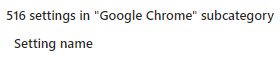
At the time of writing this blog, Microsoft Intune can provide the following amount of Microsoft Edge and Google Chrome configuration and control options.

#### Microsoft Edge

#### Google Chrome

Microsoft Azure AD password protection Service vs Passwordless Authentication

When the Azure Active Directory Premium password protection service was first released, it was well received.

There a few issues with the Azure AD Premium ‘Password Protection’ service.

1: An enterprise customer will block internet access on all domain controllers
2: If using the Azure AD Premium ‘Password Protection’ service, it requires an agent installed on all domain controllers, this agent will then, communicate with a proxy agent to establish access to Azure AD. For example , ‘agent on dc’s’ communicates to agent on ‘AD Connect server’
3: Microsoft Defender for Identity domain controller agent, cannot co-exist with the Azure AD Premium ‘Password Protection’ service agent, on the same domain controller
4: Microsoft Defender for Identity service will significantly improve an organisation’s security posture in comparison to the Azure AD Premium ‘Password Protection’ service
5: A much easier and secure method of Identity Management, is to enable the Microsoft Active Directory Premium and Microsoft Authenticator services to use: Passwordless authentication.

Passwordless can protect against

BruteForce Attacks
Password Spray Attacks.

Enabling passwordless , can also help organisations, to get one step further in their Zero Trust journey