
Conditional Access Schematic
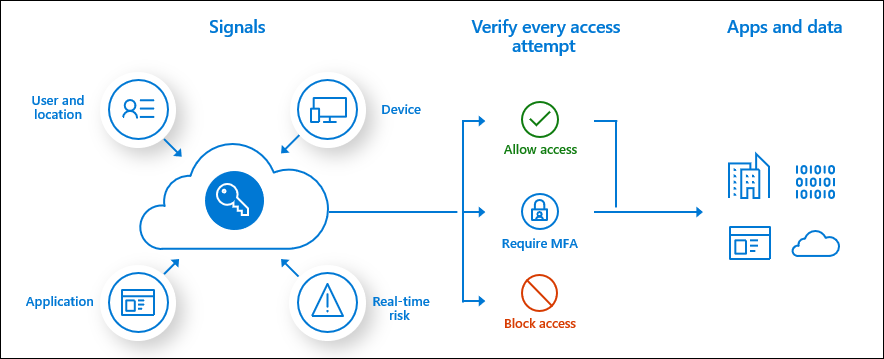
One of the most desirable Conditional Access policy controls is to only grant access to cloud applications if the Windows 10 devices are Azure AD Hybrid joined.
To ensure all Windows 10 devices are Azure AD Hybrid joined can be quite tricky , It is not as simple as enabling Azure AD Hybrid join in the AD connect wizard and simply synching an organizational unit that contains all of the Window 10 machines
The Windows 10 devices must be able to communicate with the Microsoft Office365 and Intune endpoints.
Microsoft Azure AD Conditional Access Policy – Report Mode only has been available for some time, however trying to demonstrate and analyze the impact of enabling the new conditional access policy was quite difficult when trying to review the activity for the new policy in the Azure AD sign in logs or even via a csv export of the policy activity.
Microsoft released Conditional Access Insights and Reporting : Overview and setup available HERE Power BI can also connect to the Log Analytics workspace to create custom dashboards if required.
Now when attempting to review conditional access policies in report mode only and in this example the policy is a report mode only if devices were blocked from signing in unless they were Azure AD Hybrid joined.
The impact summary is simple to read and break down
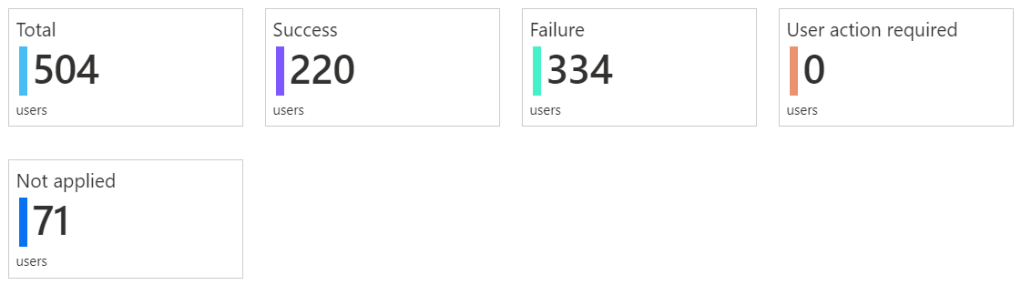
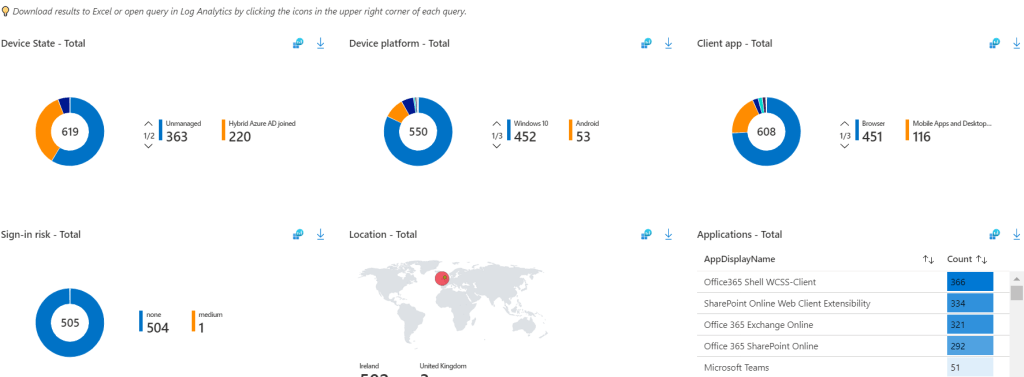
The next page summarizes user sign in details and which users would be impacted most by enabling the policy and then allow IT administrators to take action and get the users \ devices compliant before enabling the policy.





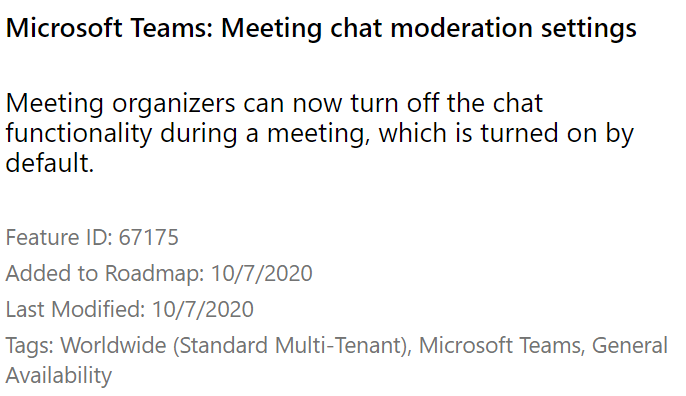




 We click on Azure Resources and then click on settings.
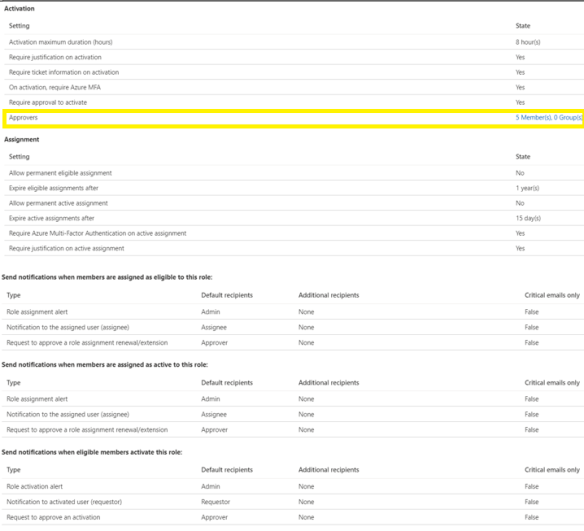 Next step is to add eligible users for the virtual machine contributor role.
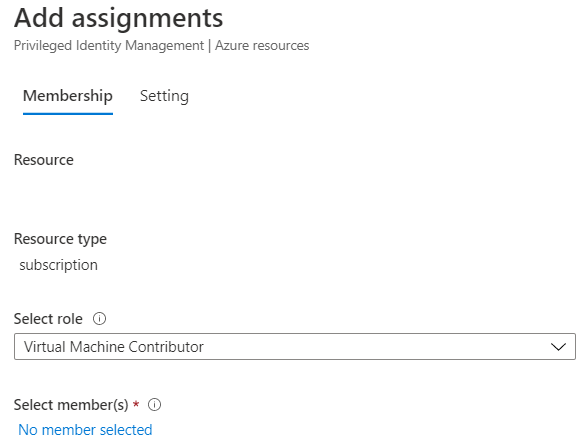 Now any admin that needs to provision a virtual machine in Azure has to follow a workflow and can only do so when senior IT resources or finance department users have approved the provision of the virtual machine


 Application administrators should be granted the application administrator role in Azure Active Directory , Then the next time an and user wants to add an application, the application administrator will receive an email and can approve from his\her Outlook client.
 The next time an end user or IT staff member wants to add an application to Azure AD, Do not just simply grant the global administrator role.
 Cloud-Secure.ai