Microsoft Defender for Endpoint Windows 10\11 Roll Out Strategy Part 1

Microsoft Defender for Endpoint is a next generation XDR solution

Some of the items that really What sets Microsoft’s next generation XDR solution for endpoints ahead of alternative vendor XDR solutions are listed below.

  • 5 device licenses per user , Windows, Android, iOS, Linux, macOS
  • Defender to Endpoint integration with Defender for 365
  • Defender for Endpoint integration with Defender for Cloud Apps
  • Defender for Endpoint Web Filtering
  • Defender for Endpoint Vulnerability – Inventories , Recommendations, Weakness Reports, Event Time Lines
  • Advanced Hunting
  • Custom Detection Rules
  • Azure Sentinel integration
  • Protect internet facing devices
  • Intune integration
  • Automated investigation and remediation
  • Auto Isolation of devices that are classified as a high severity risk via Power Automate or Logic Apps
  • Power Automate approval workflow for isolation of medium severity risk devices
  • Cloud Security Analytics
  • Consult Threat experts
  • Initiate Live Response Session
  • Collect investigation package
  • Run antivirus scan
  • Restrict app execution
  • Isolate device
  • Contain device

    The Microsoft Security portal can provide advanced hunting KQL queries to assess the impact on an organisation’s newly configured security policies, prior to implementation.

An organisation should always improve the Microsoft Defender Vulnerability Management dashboard : exposure score, before choosing the auto remediation policy methods.

If there is an existing endpoint detection response solution, configure Microsoft Defender for Endpoint in EDR mode, to demonstrate all the vulnerabilities that the primary endpoint detection response solution does not report or remediate.

The next step will be to configure the automation remediation level to ‘Semi – require approval for core folders’, until Microsoft Defender for Endpoint, machine learning and cloud intelligence has, provided an organisation will all security and remediation metrics. Then ‘Full – remediate threats automatically’ can be enabled, and integrated with Microsoft Sentinel. SIEM without SOAR is useless.

Simply enabling ‘Full – remediate threats automatically’, may cause problems with certain applications. Every organisation is different and has different line of business applications.

In previous times, email, black and white lists were always implemented, the same way end point detection and response solutions, processes or folders were excluded from protection.

It is now recommended to configure as few exclusions as possible, with the advances in technologies like machine learning and AI. Machine learning and AI, can identify vulnerabilities that are unique to an organisation. The Microsoft Security Center processes more IT transactions daily and globally than any other security vendor in the world, and will most likely provide protection against zero day vulnerabilities than any other global security vendor.

No security vendor can claim to provide protection against a zero day vulnerability, however Microsoft Defender for Endpoint can dynamically provide protection, when analysing malicious behaviour via multiple methods like heuristic behaviour and are not dependent on security vulnerability signatures that have already been defined.

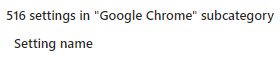
At the time of writing this blog, Microsoft Intune can provide the following amount of Microsoft Edge and Google Chrome configuration and control options.

#### Microsoft Edge

#### Google Chrome
Azure Identity Protection – Microsoft Defender for Identity

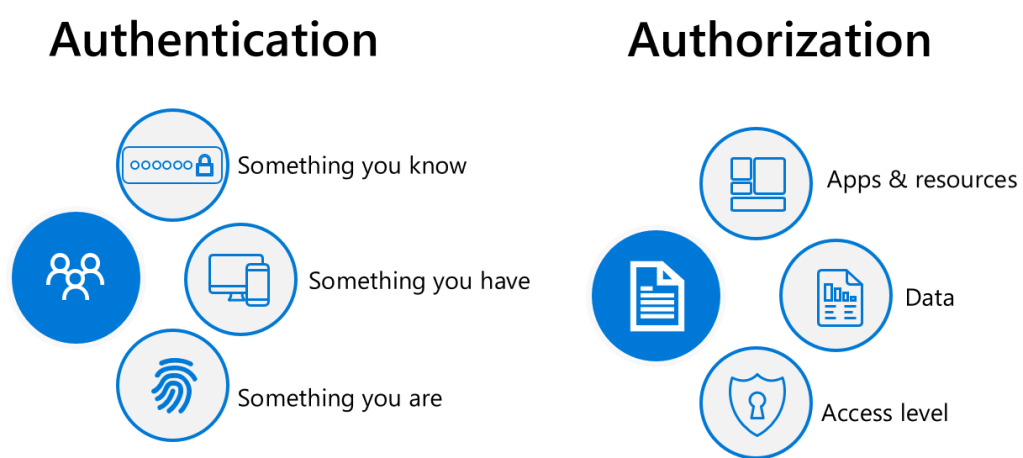
The image above is a high level overview of all identity protection methods regardless of vendor and especially when it comes to implementing Zero Trust. A lot of organisations do not really know what Zero Trust is, or how to begin their Zero Trust journey.

Zero Trust is a bit like Data Classification, it becomes an operational task that will never end. It is not implemented as a project but more as an operational procedure, that constantly evolves as threats and data protection requirements evolve. I have not yet seen a Zero Trust request from an organisation yet that are exactly the same. Zero Trust strategies can often be similar per industry like , legal, pharma, manufacturing and food industry etc..

The purpose of this blog post is to show how Azure Identity Protection and Microsoft Defender for Identity protection work together and can improve any organisation’s security posture as Identity is the new security plane and the days of protecting identity behind edge perimeter firewalls are no longer relevant.

Not all organisations’ (like SMB) can afford Microsoft Azure Identity Protection. I normally advise SMB organisations to procure Azure AD Premium plan 2 licenses to protect any privileged accounts.

For enterprise organisations that are licensed for Azure Identity protection, my preference for implementing the Azure Identity Protection controls, is via Conditional Access. This provides additional insights when placing the policies in report mode only and then reviewing the reports in Conditional Access – Insights and Reporting.

Azure Active Directory Topology

The image above illustrates Azure ADDS (Active Directory Domain Services) and Azure AD. So, think of Azure Identity Protection, as a service protecting identity at the cloud level or like the traditional perimeter edge firewall for ADDS. Microsoft Defender for Identity, protects on-premise identities.

Microsoft Azure Identity Protection

Identity Protection is a tool that allows organizations to accomplish three key tasks:

Identity Protection uses the learnings Microsoft has acquired from their position in organizations with Azure AD, the consumer space with Microsoft Accounts, and in gaming with Xbox to protect your users. Microsoft analyses 6.5 trillion signals per day to identify and protect customers from threats

Microsoft Defender for Identity

Microsoft Defender for Identity monitors domain controllers by capturing and parsing network traffic and leveraging Windows events directly from domain controllers, then analyses the data for attacks and threats. Utilizing profiling, deterministic detection, machine learning, and behavioural algorithms Defender for Identity learns about your network, enables detection of anomalies, and warns you of suspicious activities.

Microsoft Defender for Identity provides alerts to suspicious lateral movements in an on-premise network with ADDS identities. The alerts are great but can only be actioned as soon as a Security staff member can respond to the alerts.

The two automated responses that Microsoft for Identity can perform are:

Disable user â€“ this will temporarily prevent a user from logging in to the network. This can help prevent compromised users from moving laterally and attempting to exfiltrate data or further compromise the network. 


Reset user password – this will prompt the user to change their password on the next logon, ensuring that this account cannot be used for further impersonation attempts. 

Typically, all enterprise organisation’s do not permit internet access on their domain controllers, except for port 53 (DNS) or port 123 (Network Time Protocol), but most normally domain controllers internet connectivity is controlled by proxies

The Azure AD Premium P1 and P2 password protection service, provides an excellent topology. An agent is installed on domain controllers that then communicates with a proxy agent installed on a server, that has internet access, like an AD connect server.

Microsoft Defender for Identity standalone sensor

The standalone sensor requires two network adapters.
1: Management Adapter: used for communications on your corporate network
2: Capture adapter: used to capture traffic to and from the domain controllers

The below ports are required to be configured for standalone sensor

Azure Sentinel

Playbooks may be available in the future that can perform more automated remediation tasks with Microsoft Defender for Identity.

Microsoft have provided an online demonstration on how to compromise an identity and take control of a domain, which I find hard to believe, however, it is a bit like ethical hacking. Security professionals must know the lateral movements of a bad actor when attempting to compromise an identity and an on-premise Active Directory domain.

The article is available HERE

Microsoft Defender for Identity also provides some recommendations, when the Microsoft for Defender Identity sensors (agents) have gathered telemetry information on an on-premise Active Directory instance. An example would be ‘implement secure LDAP’, when an organisation reviews the recommendations provided by Microsoft Defender for Identity, some careful planning is required to assess the impact of implementing the recommendations that Microsoft Defender for Identity has provided.

When Azure Identity Protection and Microsoft Defender for Identity, has been fully implemented in an organisation, it will really improve the organisation’s security posture and Microsoft will continually develop these services to protect against existing and future vulnerabilities.


How to assign Microsoft Defender for EndPoint Policies

The first task is to assign a security group with all users in scope for Microsoft Defender for Endpoint via Azure Licensing Mnagement.

The second part is to apply the policies to a group of users. The syntax below can be used to create an Azure Dynamic user group which will auto populate based on whether a user has a license for Microsoft Defender for Endpoint.

user.assignedPlans -any (assignedPlan.servicePlanId -eq “111046dd-295b-4d6d-9724-d52ac90bd1f2” -and assignedPlan.capabilityStatus -eq “Enabled”)

Phishing Email

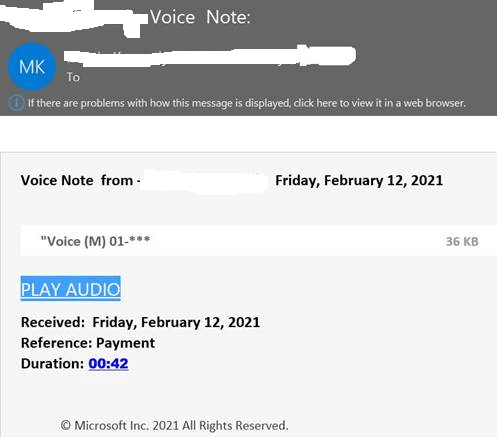
Quite a nasty phishing email that sailed past Mimecast and Microsoft Defender for ATP.
It brings the user to a site and the the end user clicks on another link to listen to their voicemail and this is when the payload is delivered and it can perform the following malicious acts

Copy cached credentials
Modify Outlook Rules
Infect the entire global address list
Attempt data exfiltration via One Drive for Business

Phishing email displayed below , Careful folks. End user security awareness training is the best defense against the phishing emails that get through and breach your message hygiene services.


Block sending of messages based on real-time content inspection in SASS with Cloud APP Security

This post demonstrates how to integrate Facebook Workplace with Azure AD and enable single sign on, and CASB protection for keywords that users post in a Facebook Workplace site.

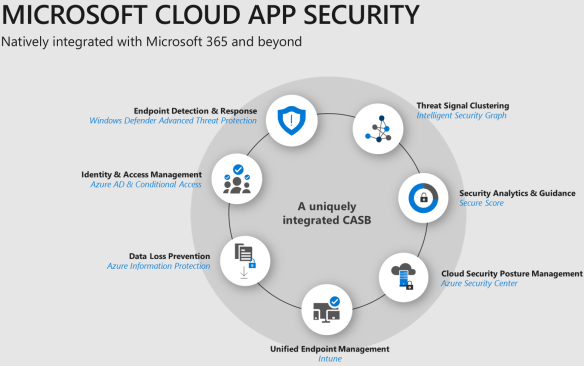
The process would be exactly the same for any SAAS application and this post demonstrates the power of CASB integration with SAAS applications. For example , when using CASB to protect SAAS applications like GMAIL, Salesforce, Service Now, CASB can block real time key words and inspect files for sensitive information types defined by an organisation and integrate with Azure Information Protection.

There is a Microsoft tutorial on how to integrate Azure AD with Facebook workplace but I found the guide difficult to follow.

So I will try and structure this post in order to block a keyword from being posted to Facebook Workplace.

  1. Sign up for a Facebook Workplace account and sign in. Then click on the admin panel , security and authentication settings.
  2. Click on the Add new SSO Provider
  3. After you click on the link displayed above , scroll down and copy the audience URL which is the unique identifier.
  4. Next we add a new tab in the browser and go to Azure Active Directory , Enterprise Applications and add Facebook Workplace from the gallery.
  5. Add the users or security group that will have access to this published application within Azure AD
  6. Create a conditional access policy and do the following
    Select Facebook Workplace as the app
    Select the users in scope for testing
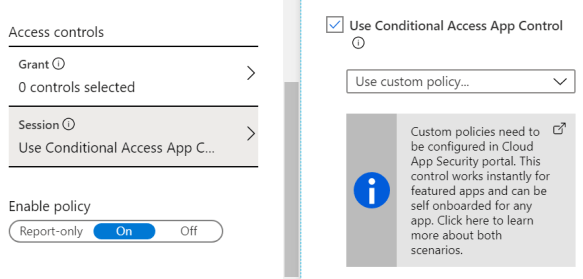
    Select session control and select the settings displayed in the image below
    There is obviously a lot more protection that can be applied with this conditional access policy, like location protection , azure hybrid joined machines etc..  For the purpose of this blog we are simply demonstrating the interaction with CASB and conditional access session policies.
  7. As I always use Chrome until Edge Chromium is GA , the next step is to to open a new tab and install the My Apps Secure Sign-in Extension for Chrome and sign in with the credentials that you are signed into the Azure Portal with.
  8. Within Azure AD , Select Facebook Workplace and select single sign on and select SAML
  9. Edit basic saml configuration and paste in the following urls
    A:Identifier (Entity ID) :  The audience url captured in step 3
    B:Reply URL (Assertion Consumer Service URL) : https://my.workplace.com/work/saml.php
    C:Sign On Url : https://my.workplace.com/work/saml.php
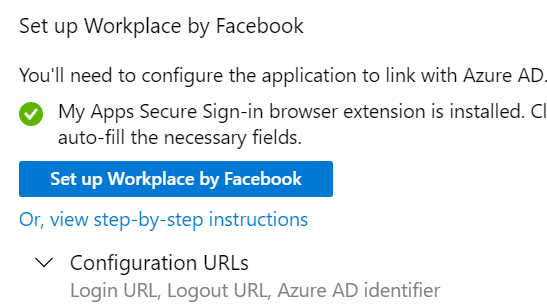
  10. Exit the SAML basic configuration and then move to step 5 in the SAML configuration and click on ‘Setup WorkPlace for Facebook’
  11. When we click on ‘Setup WorkPlace by Facebook’ , The browser will redirect the session to the Facebook WorkPlace authentication settings and click on the ‘Single Sign On  (SSO) button
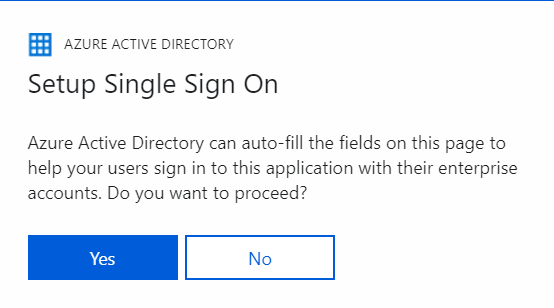
  12. Wait a few seconds and the Chrome add in we discussed in step 7 will display the following screen which will auto populate the Azure SAML configuration automatically into Facebook WorkPlace.
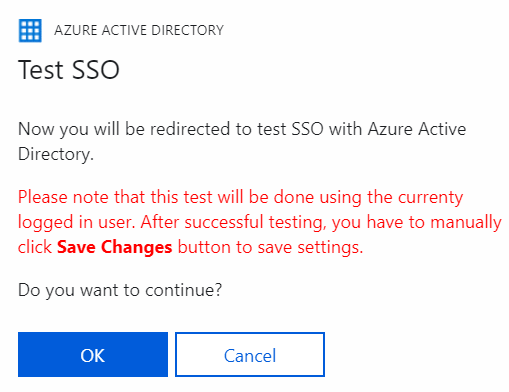
  13. The next pop up requests the admin to test SSO and then save the changes.
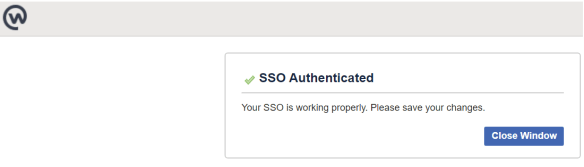
  14. The next window will re-direct the Facebook Workplace login url through CASB
  15. Click on close on the next page
  16. Next really important step , Go back to the Facebook Workplace tab and select save changes
  17. Next steps are to create the Cloud App Security Policy to block a key word using this template :Block sending of messages based on real-time content inspection
  18. The activities in the policy are displayed below
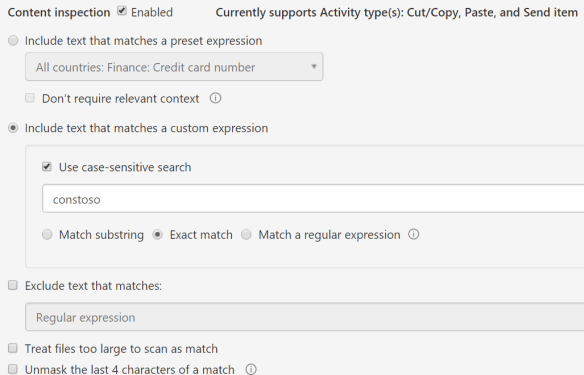
  19. The content inspection config of the policy uses contoso as the keyword
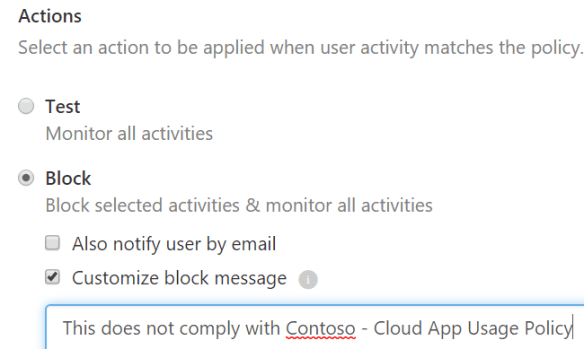
  20. The action is to block and notify the user with the organisation’s terms and conditions for usage of cloud apps or a custom response
  21. Finally , Facebook WorkPlace will be available for the users in scope to use the application in the https://myapps.microsoft.com portal

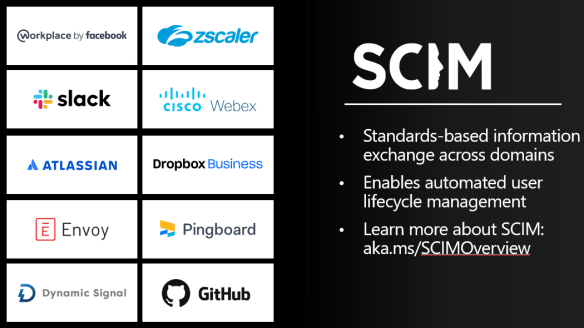
Final note , SAAS applications that support SCIM will be much easier to on-board into Azure Active Directory and CASB. I hope this blog post shows how easy it is to on-board SAAS apps into Azure AD and CASB.