

I recently worked on a project focused primarily on Defender for Cloud (Defender for Servers). It’s always valuable to validate a Defender for Servers deployment to ensure no configuration has been overlooked that could weaken an organisation’s security posture.
There are some known challenges when deploying to Windows Server 2012 R2, 2016, and 2022, less so with Server 2025, which benefits from more modern integration.
To help with this, I’ve developed a PowerShell script that scans every device connected to a security.microsoft.com tenant and generates a comprehensive HTML summary report, as shown in the image below.
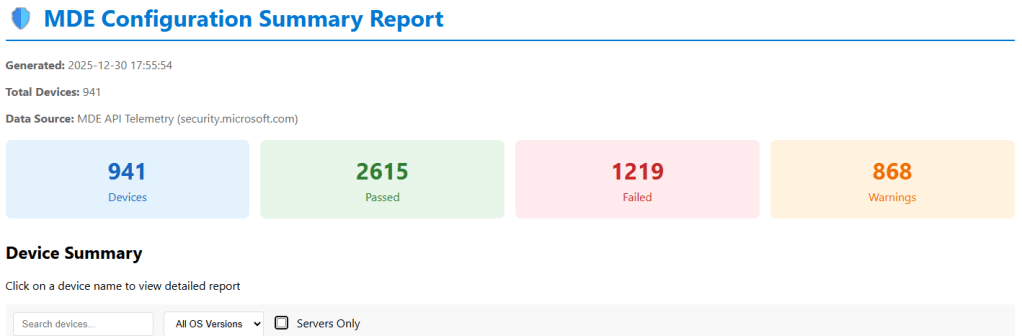
The script also exports a csv report on the status of each machine and recommendations on how to remmediate any machine that has a low security posture.
A app registration is required, the permission requirements are detailed in the readme.md included in the script dowload available : HERE
Open the script get-mdeconfurationreport.ps1 and modify these variables.
[string]$TenantId = “YOUR-TENANT-ID-HERE”, # 👈 Your Tenant ID
[string]$ClientId = “YOUR-CLIENT-ID-HERE”, # 👈 Your App ID
[string]$ClientSecret = “YOUR-CLIENT-SECRET-HERE” # 👈 Your Secret
Credit: Nathan Hutchinson https://www.linkedin.com/in/natehutchinson/
 Cloud-Secure.ai