
Part 1 of 4 - The problem
Disclaimer and scope. The goal of this series is to demonstrate Microsoft Defender automatic attack disruption: how malicious activity in a Microsoft 365 tenant is detected and defended against automatically, and why containment must be followed by removing the footholds an attacker leaves behind. Everything shown was carried out in an isolated lab tenant built for the purpose. The techniques are well-documented adversary behaviours catalogued in MITRE ATT&CK, reproduced here only to show how a defender detects, disrupts and eradicates them. This process and the associated scripts are for simulation and defensive testing in a tenant you own and control. Do not use them against any environment you are not authorised to test. Planting these footholds requires privileged access in the first place - the controls described in this series are what stop a real attacker reaching that point, and what clean up if one does.
Introduction
Microsoft Defender can lock down a compromised account within minutes of an attack starting, with no analyst in the loop. That is a genuine step change. But stopping an attack and cleaning up after it are two different jobs, and the gap between them is where a lot of organisations get caught out.
Incident response has always separated the two: containment stops the attacker spreading, eradication removes everything they left behind, and recovery brings the business back online. Skip the middle step and the first person to re-enable the account quietly reopens the door.
This series builds that scenario end to end in a lab. The noisy endpoint route is blocked by Defender straight away, so the attacker does what a real adversary-in-the-middle attacker does - works entirely in the identity plane from a stolen session, leaves four footholds in Entra ID and Exchange Online, and gets contained. Then we prove the footholds survive containment, hunt them down, and remove them without touching anything the real user still needs. This first part sets up the problem and shows Defender’s automatic response doing its job.
How Defender responds on its own
Automatic attack disruption
Automatic attack disruption correlates signals across endpoints, identities, email and SaaS apps, identifies the assets the attacker controls, and contains them by disabling users, revoking sessions or containing devices. Microsoft states that containment actions run at a confidence level of 99% or higher, and every automatic action can be undone by the SOC.
Predictive shielding
Predictive shielding extends attack disruption by acting before the attacker uses stolen credentials. When Defender sees high-confidence signs of credential theft on a device, it can restrict the accounts likely exposed there. It is available to Defender for Endpoint P2 customers who meet the prerequisites, and Microsoft recommends the Defender for Identity sensor to enrich its data.
Gotcha: in the incident Activities tab, the Performed by column shows Attack Disruption for both attack disruption and predictive shielding actions. Filter incidents by the Predictive Shielding tag to tell them apart.
The gap: what containment leaves behind
Attackers who get in through a phished or stolen session move quickly to make sure they can get back in. These are the footholds the lab recreates, and none of them is removed by disabling the user or revoking their sessions:
| Foothold | MITRE ATT&CK | Why containment does not remove it |
| Attacker-registered MFA method | T1098.005 Device Registration | Disabling the account and revoking sessions leaves registered methods in place. Re-enable the user and the attacker can pass MFA again. |
| Directory role added to the user | T1098.003 Additional Cloud Roles | The role assignment stays on the account and comes back into use the moment the account is enabled. |
| Client secret added to an app | T1098.001 Additional Cloud Credentials | The secret belongs to the app, not the user. Disabling the user does nothing to it, so the attacker keeps signing in as the app. |
| Hidden inbox rule | T1564.008 Email Hiding Rules | The rule lives in the mailbox and keeps running whether the user can sign in or not. |
Stage 1 - The loud route is blocked
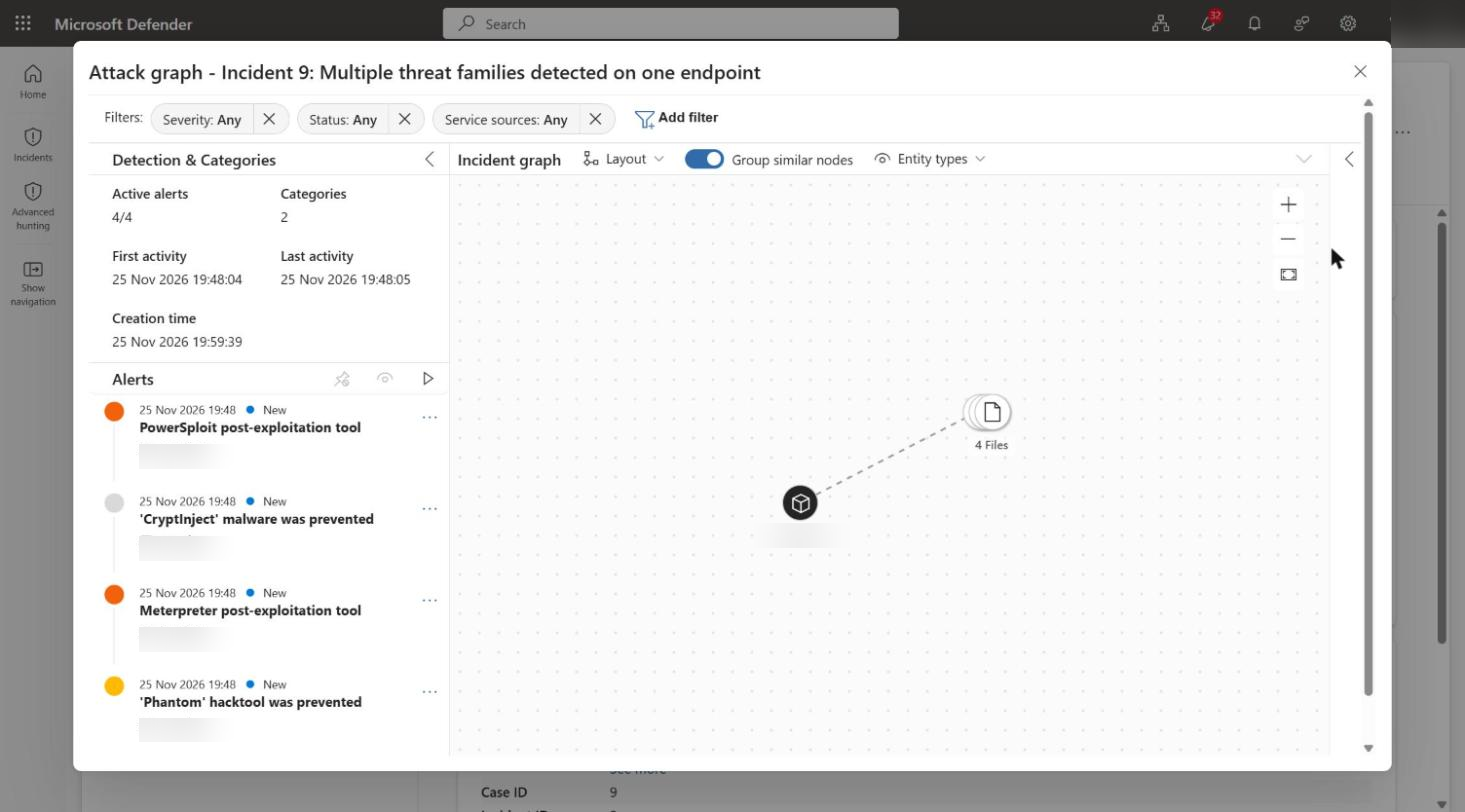
The lab first tried the obvious way in: endpoint tooling on the lab VM to dump credentials from memory. Microsoft Defender Antivirus quarantined it on sight. A Meterpreter variant, a hack-tool, a credential-injection trojan and a PowerShell offensive-tooling detection were all flagged Severe or High the moment they landed, before anything could touch LSASS.
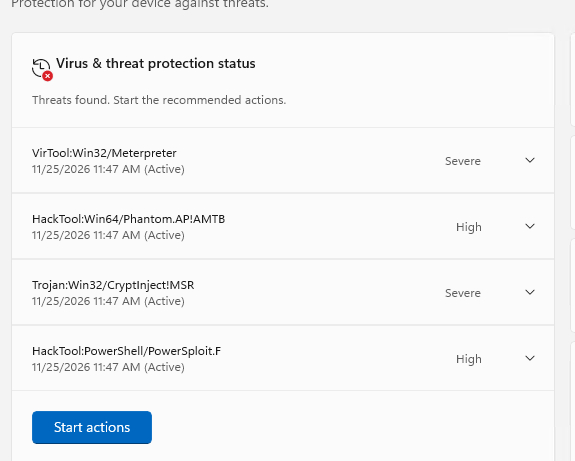
That is defence in depth doing its job, and it is the point worth making: the malware-heavy route is the one your controls are best at catching. Defender correlated the detections into a single incident and drew the attack graph automatically.
It is not how a capable identity attacker operates today.
Impair Defenses (T1562)
Before the credential dump even ran, Controlled Folder Access blocked the tooling from writing to protected folders. That is the control doing its job: against unprivileged ransomware, the common case it is built for, it holds.
Getting past it is not free. Adding an allowed application or changing the mode needs local admin, and weakening or turning off a security control is itself an attack technique - T1562 Impair Defenses - and one of the behaviours Defender treats as high value. The action is loud: it writes to DeviceEvents, and tampering like this can feed attack disruption. So the first thing the attacker meets is a control that blocks them, and the only way past hands the defender more signal.
Gotcha: if you do allow an application through Controlled Folder Access, never allow an interpreter such as powershell.exe - anything that can invoke it inherits the pass. Allow specific signed binaries only.
Hunt Controlled Folder Access violations and Defender tampering:
DeviceEvents
| where Timestamp > ago(1d)
| where ActionType in ("ControlledFolderAccessViolationBlocked",
    "ControlledFolderAccessViolationAudited", "TamperingAttempt")
| project Timestamp, DeviceName, ActionType, InitiatingProcessFileName,
    FolderPath, AdditionalFields
Next in the series: Part 2 stages the attack in the lab and plants the four footholds in the identity plane.


Pingback: Contained isn’t clean, Part 2: staging the attack | Cloud-Secure.ai