

Microsoft Defender for Endpoint is a next generation XDR solution
Some of the items that really What sets Microsoft’s next generation XDR solution for endpoints ahead of alternative vendor XDR solutions are listed below.
- 5 device licenses per user , Windows, Android, iOS, Linux, macOS
- Defender to Endpoint integration with Defender for 365
- Defender for Endpoint integration with Defender for Cloud Apps
- Defender for Endpoint Web Filtering
- Defender for Endpoint Vulnerability – Inventories , Recommendations, Weakness Reports, Event Time Lines
- Advanced Hunting
- Custom Detection Rules
- Azure Sentinel integration
- Protect internet facing devices
- Intune integration
- Automated investigation and remediation
- Auto Isolation of devices that are classified as a high severity risk via Power Automate or Logic Apps
- Power Automate approval workflow for isolation of medium severity risk devices
- Cloud Security Analytics
- Consult Threat experts
- Initiate Live Response Session
- Collect investigation package
- Run antivirus scan
- Restrict app execution
- Isolate device
- Contain device
The Microsoft Security portal can provide advanced hunting KQL queries to assess the impact on an organisation’s newly configured security policies, prior to implementation.
An organisation should always improve the Microsoft Defender Vulnerability Management dashboard : exposure score, before choosing the auto remediation policy methods.
If there is an existing endpoint detection response solution, configure Microsoft Defender for Endpoint in EDR mode, to demonstrate all the vulnerabilities that the primary endpoint detection response solution does not report or remediate.
The next step will be to configure the automation remediation level to ‘Semi – require approval for core folders’, until Microsoft Defender for Endpoint, machine learning and cloud intelligence has, provided an organisation will all security and remediation metrics. Then ‘Full – remediate threats automatically’ can be enabled, and integrated with Microsoft Sentinel. SIEM without SOAR is useless.
Simply enabling ‘Full – remediate threats automatically’, may cause problems with certain applications. Every organisation is different and has different line of business applications.
In previous times, email, black and white lists were always implemented, the same way end point detection and response solutions, processes or folders were excluded from protection.
It is now recommended to configure as few exclusions as possible, with the advances in technologies like machine learning and AI. Machine learning and AI, can identify vulnerabilities that are unique to an organisation. The Microsoft Security Center processes more IT transactions daily and globally than any other security vendor in the world, and will most likely provide protection against zero day vulnerabilities than any other global security vendor.
No security vendor can claim to provide protection against a zero day vulnerability, however Microsoft Defender for Endpoint can dynamically provide protection, when analysing malicious behaviour via multiple methods like heuristic behaviour and are not dependent on security vulnerability signatures that have already been defined.
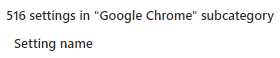
At the time of writing this blog, Microsoft Intune can provide the following amount of Microsoft Edge and Google Chrome configuration and control options.
#### Microsoft Edge

#### Google Chrome
 Cloud-Secure.ai